chaiNNer — Free AI Image Processing App

By chaiNNer contributors · Graphics
  • Open source
  • Free
  • Graphics
Download chaiNNer Direct download from github.com Official download page Link checked October 19, 2026

Our verdict: chaiNNer turns AI upscaling and image processing into visual pipelines you build by connecting nodes. It handles everything from a single upscale to complex batch chains, and it manages its own Python so you do not have to. Newcomers face a learning curve, and good speed needs a capable GPU.
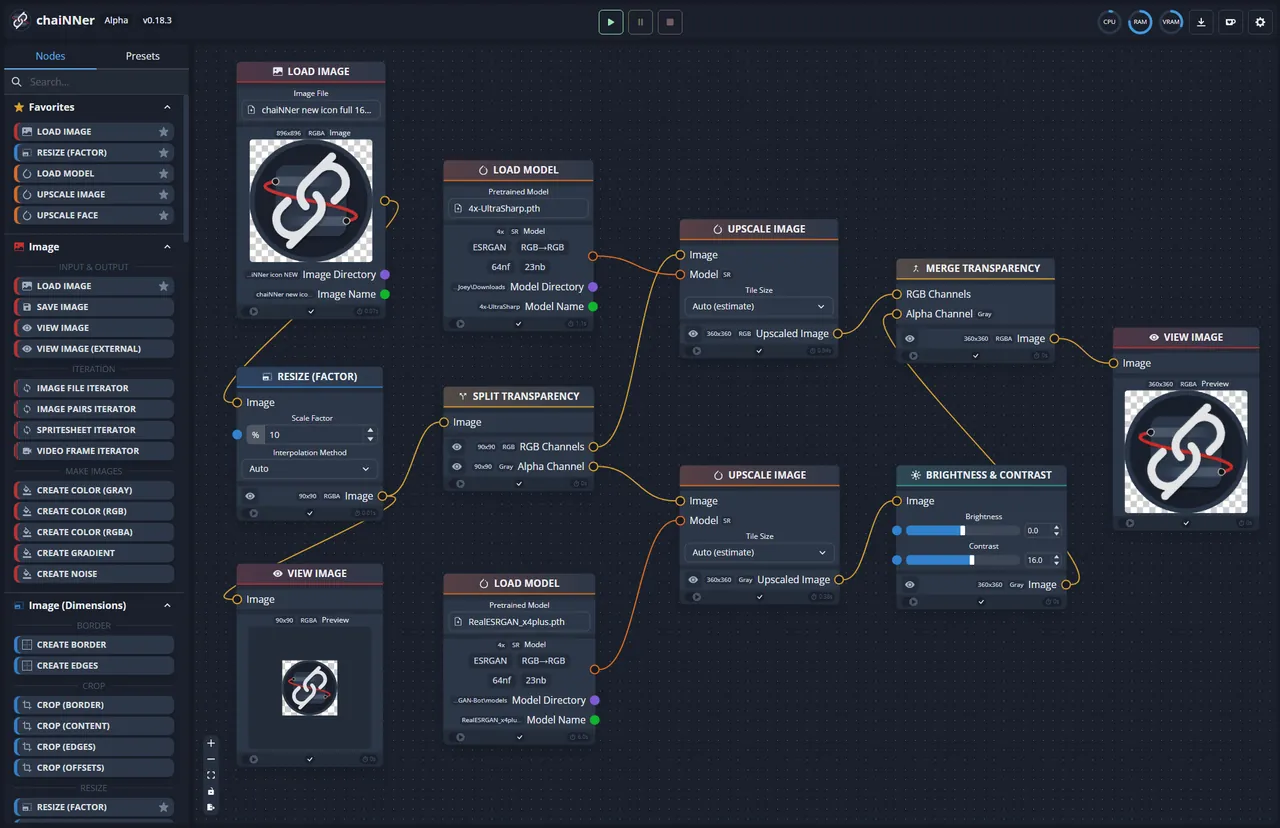
chaiNNer node editor with an image upscaling chain connected between nodes
chaiNNer node editor with an image upscaling chain connected between nodes · Screenshot: chaiNNer contributors, GNU GPL v3, from the official repository

About chaiNNer

chaiNNer is an open-source project under the GPL v3 that began as an AI upscaling tool and grew into a general node-based image processor. It downloads an isolated, integrated Python on first start, and a built-in Dependency Manager installs the AI frameworks.

You drag nodes such as Load Image, Upscale and Save Image onto a canvas and connect them; color-coded handles show which outputs fit which inputs. Models run through PyTorch, NCNN, ONNX or TensorRT: the developers recommend PyTorch or TensorRT on NVIDIA cards and NCNN on AMD.

What it does well

  • Node editor. Build processing chains by connecting nodes instead of writing scripts.
  • AI upscaling. Run upscaling and restoration models with PyTorch, NCNN, ONNX or TensorRT.
  • Batch processing. Apply the same chain to whole folders of images.
  • Integrated Python. Ships its own isolated Python, with a manager for dependencies.
  • Cross-platform. Runs on Windows, macOS and Linux.

Who it is for

Good fit

People who upscale or restore images with AI models and want repeatable batch pipelines.

Look elsewhere

Users who want a one-click upscaler, and PCs without a reasonably modern GPU.

Pros and cons

Pros

  • Free and open source
  • Very flexible node-based pipelines
  • Supports several AI frameworks
  • No manual Python setup needed

Cons

  • Steep learning curve for beginners
  • Large downloads for AI frameworks and models
  • Slow without a capable GPU

How to install chaiNNer

Run the Windows setup from the official download page. On first launch chaiNNer downloads its integrated Python; then open the Dependency Manager (top-right) and install PyTorch, NCNN or ONNX before you add any AI model. Models are downloaded separately.

Questions about chaiNNer

Is chaiNNer free?

Yes. It is open source under the GNU GPL v3 with no paid version.

Does chaiNNer include AI models?

No. You download upscaling models separately and load them with the matching nodes.

Download chaiNNer from chainner.app ExeDepot does not host this file. The download starts from the developer's server, github.com. Other versions are on the official download page.

Alternatives to chaiNNer

  • Upscayl AI Image Upscaler

    Open-source AI image upscaler that enlarges photos up to 16x locally on your graphics card.

    Upscayl team · Open source · upscayl.org
  • Flowframes AI Video Frame Interpolation

    Raises video frame rate with AI interpolation (RIFE) on NVIDIA, AMD and Intel GPUs.

    N00MKRAD · Open source · nmkd.itch.io
  • Video2X AI Video Upscaler

    Open-source AI video upscaler and frame interpolator using Real-ESRGAN, Real-CUGAN, Anime4K and RIFE.

    K4YT3X and contributors · Open source · video2x.org
  • Comfy Desktop AI Image Generator

    Official ComfyUI desktop app that installs and manages local, GPU-ready ComfyUI setups for AI images.

    Comfy Org · Open source · comfy.org

Similar to chaiNNer All graphics apps

  • InvokeAI Local AI Image Generator

    Open-source AI image studio with a layered canvas, node workflows and local FLUX, SDXL and Z-Image models.

    InvokeAI contributors · Open source · invoke.ai
  • Pinokio AI App Launcher

    Free one-click launcher that installs and runs open-source AI apps locally in an isolated folder.

    Pinokio (cocktailpeanut) · Open source · pinokio.co
  • Fooocus Local AI Image Generator

    Offline SDXL image generator that works from a simple prompt box, with inpainting and image prompts.

    lllyasviel and contributors · Open source · github.com/lllyasviel
  • Stability Matrix AI Image Tool Manager

    Free manager that installs ComfyUI, Forge, Fooocus and other AI image UIs with one shared model folder.

    Lykos AI · Open source · lykos.ai