

Our verdict: Upscayl is the simplest free way to enlarge small or blurry images with AI on your own PC. Pick an image, a model and a scale, and it does the rest. It needs a Vulkan-compatible graphics card, and many integrated GPUs do not work.
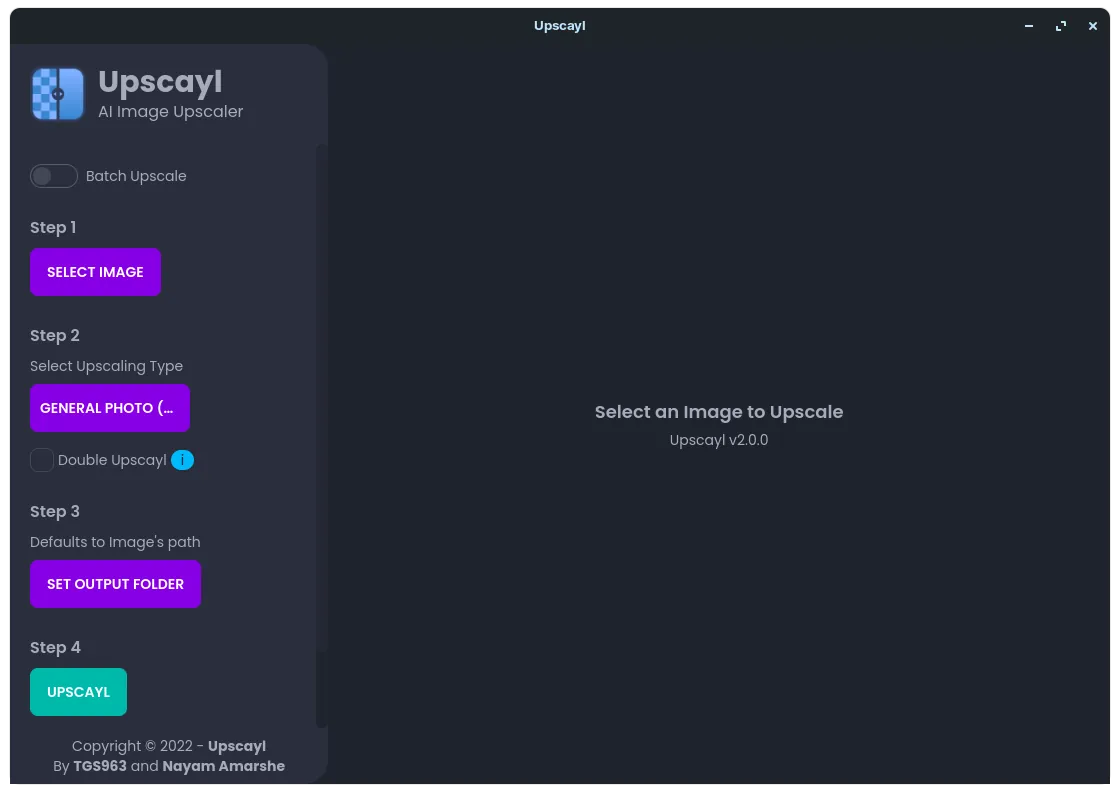
About Upscayl
Upscayl is an open-source desktop app under the AGPLv3. It uses Real-ESRGAN models through a Vulkan backend, so upscaling runs locally on your graphics card and your images are not uploaded anywhere.
Several models are included for different kinds of images, and more can be added from the project's custom model repository. The website also promotes Upscayl Cloud, a separate online service; the desktop app is free and does not require an account.
What it does well
- AI upscaling. Enlarges images with Real-ESRGAN models instead of simple resampling.
- Several models. Built-in models for photos, digital art and sharp detail, plus custom models.
- Batch Upscayl. Processes a whole folder of images in one run.
- Double Upscayl. Runs the upscaler twice for very large output sizes.
- Local processing. Works on your own GPU without uploading images.
Who it is for
Good fit
People restoring old low-resolution photos or enlarging artwork for printing.
Look elsewhere
PCs without a Vulkan-capable graphics card, and anyone who needs faithful, unaltered detail.
Pros and cons
Pros
- Free and open source
- Runs locally, no upload
- Simple three-step interface
- Batch mode and custom models
Cons
- Needs a Vulkan-compatible GPU; many integrated GPUs do not work
- AI can invent details that were not in the original
- No new desktop release since version 2.15 in December 2024
How to install Upscayl
Download the Windows installer from the official download page. Update your graphics driver first, because Upscayl needs Vulkan support. If upscaling fails on a laptop with two GPUs, select the dedicated card in the GPU ID setting and set Windows graphics performance for Upscayl to high performance.
Questions about Upscayl
Is Upscayl free?
Yes. The desktop app is open source under the AGPLv3 and free to use. Upscayl Cloud is a separate online service.
Does Upscayl work without a graphics card?
Usually not. It needs a Vulkan-compatible GPU, and the developers note that most integrated GPUs and CPUs will not work.
Does Upscayl upload my images?
No. The desktop app upscales images locally on your computer.


