

Our verdict: InvokeAI is the most artist-friendly of the local image generators: the canvas lets you paint, mask, inpaint and outpaint like in an editor, and workflows are there when you need them. The official launcher handles the Python setup. On Windows it needs an Nvidia or Intel Arc graphics card, and newer models want a lot of VRAM.
About InvokeAI
InvokeAI is an open-source creative engine under the Apache 2.0 license. It runs a local web server with a React interface that opens in its own window or your browser. The Invoke Launcher installs, updates and starts it, so you do not have to set up Python yourself.
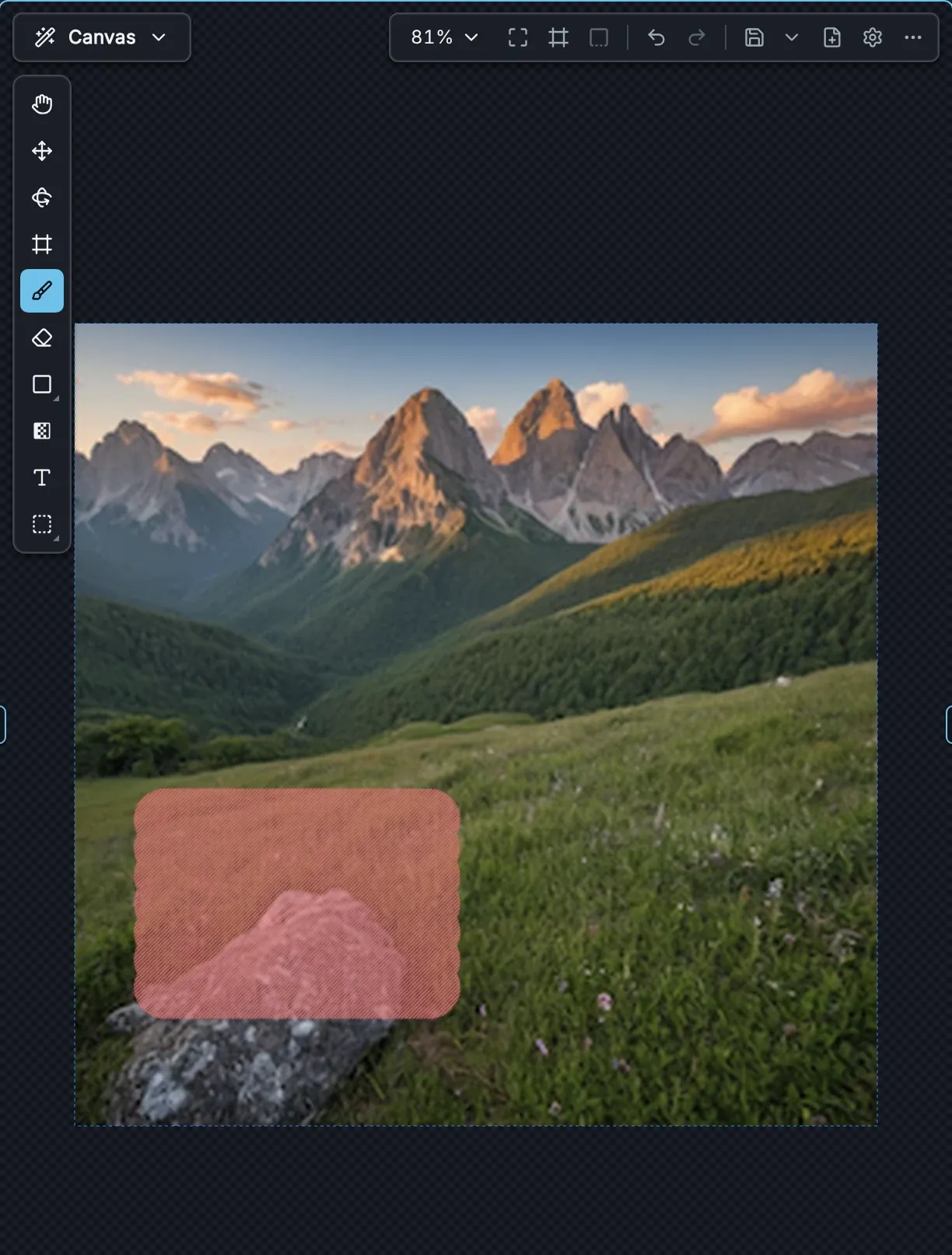
The Unified Canvas supports layers, brushes, inpainting and outpainting, and the workflow editor builds node-based pipelines. Supported local models include SD 1.5, SDXL, SD 3.5, FLUX.1, FLUX.2 Klein, Z-Image, Qwen Image and Krea 2. A few models, such as GPT Image and Nano Banana, run only through their providers' APIs with your own key, so those prompts leave your PC; everything else runs locally.
What it does well
- Unified Canvas. Layers, masks, inpainting and outpainting in one editor-like workspace.
- Node workflows. Build and share custom generation pipelines from connected nodes.
- Model manager. Installs and organizes checkpoints, LoRAs, embeddings and GGUF models.
- Boards and gallery. Keeps generations in boards with prompts and settings stored in metadata.
- Official launcher. Installs, updates and starts Invoke without manual Python setup.
Who it is for
Good fit
Artists who want to paint over and refine AI images on a canvas rather than only type prompts.
Look elsewhere
Windows PCs with AMD graphics, since AMD GPUs are supported on Linux only, and PCs with little VRAM.
Pros and cons
Pros
- Free and open source (Apache 2.0)
- Canvas with layers, inpainting and outpainting
- Node workflows for advanced pipelines
- Launcher handles setup and updates
Cons
- No AMD GPU support on Windows
- Newer models need 12–24 GB of VRAM
- Model files take tens of gigabytes
How to install InvokeAI
The button downloads the Invoke Community Edition launcher. Run it, click Install and pick a folder on a drive with plenty of free space; the launcher sets up Python and PyTorch. Then open the model manager and install a starter model. Invoke's hardware guide lists 8 GB VRAM and 16 GB RAM as the minimum for SDXL, and 10 GB VRAM and 32 GB RAM for FLUX.1.
Questions about InvokeAI
Is InvokeAI free?
Yes. InvokeAI is open source under the Apache 2.0 license and free to use locally, including commercially. Only optional API-based models need a paid account with their provider.
What graphics card does InvokeAI need?
On Windows, an Nvidia or Intel Arc GPU. Invoke's guide lists 4 GB VRAM for SD 1.5, 8 GB for SDXL and 10 GB for FLUX.1. AMD cards work on Linux only.


