

Our verdict: Fooocus is the closest thing to a Midjourney-style prompt box that runs on your own PC. It hides most settings, improves short prompts automatically and gives good SDXL results with little effort. The project is now in bug-fix-only mode and supports SDXL models only, so newer model families such as FLUX are not available.
About Fooocus
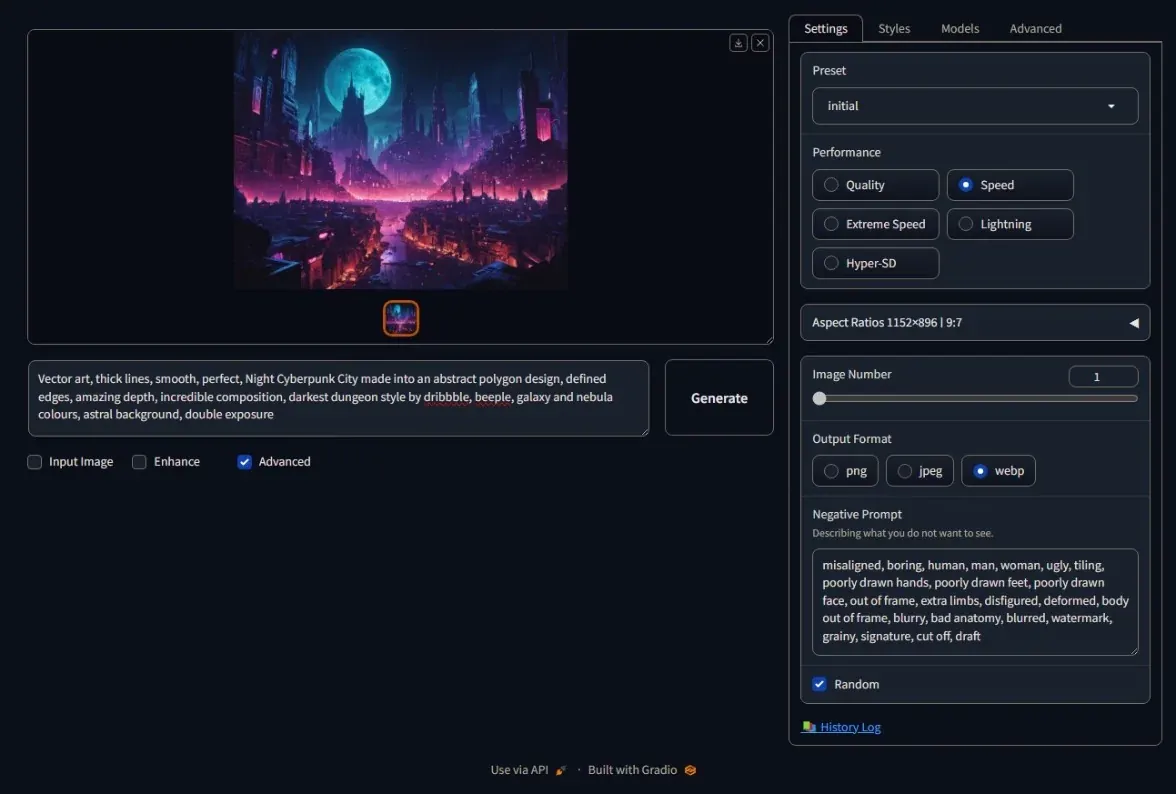
Fooocus is an open-source image generator under the GPL v3, built on Stable Diffusion XL. It runs offline after the first start, which downloads the default SDXL models. A built-in GPT-2 based prompt engine expands short prompts, so you rarely need to tweak samplers or steps. The interface opens in your web browser.
Advanced tabs add inpainting and outpainting in any direction, image prompts, upscaling and variations, plus Anime and Realistic presets. The developer lists 4 GB of Nvidia VRAM and 8 GB of system RAM as the minimum. The project is in limited long-term support: only bugs are fixed and no new features are planned.
What it does well
- Prompt-only workflow. Good SDXL images from short prompts without manual parameter tuning.
- Inpaint and outpaint. Fixes parts of an image or extends it up, down, left or right.
- Image prompts. Uses reference images to guide composition and style.
- Presets. Default, Anime and Realistic editions with matching models.
- Offline use. Works without internet once the models are downloaded.
Who it is for
Good fit
Beginners who want good AI images from a prompt without learning nodes or sampler settings.
Look elsewhere
Users who want FLUX or other newer models, AMD-only Windows PCs, and anyone who needs active development.
Pros and cons
Pros
- Free and open source
- Very simple prompt-first interface
- Strong inpainting and outpainting
- Runs offline after setup
Cons
- SDXL models only, no FLUX support
- Bug fixes only, no new features
- Archive must be extracted with 7-Zip
How to install Fooocus
The button downloads a 7z archive, which is the official Windows package. Extract it with 7-Zip to a short path such as C:\Fooocus and run run.bat; use run_anime.bat or run_realistic.bat for the other presets. The first launch downloads several gigabytes of SDXL models. Keep Windows virtual memory enabled, as the developer requires it on PCs with 8 GB of RAM.
Questions about Fooocus
Is Fooocus free?
Yes. Fooocus is open source under the GPL v3 and free to use. The models it downloads have their own licenses.
Does Fooocus work on AMD graphics cards?
Partly. The developer provides AMD instructions for Windows that require editing run.bat to use DirectML, and calls AMD support a beta that is not intensively tested.


