

Our verdict: Cryptomator is a simple way to add client-side encryption to any cloud storage you already use. You work with files on a virtual drive, and only encrypted data is synced. The desktop app is free; full access on phones is a paid upgrade.
About Cryptomator
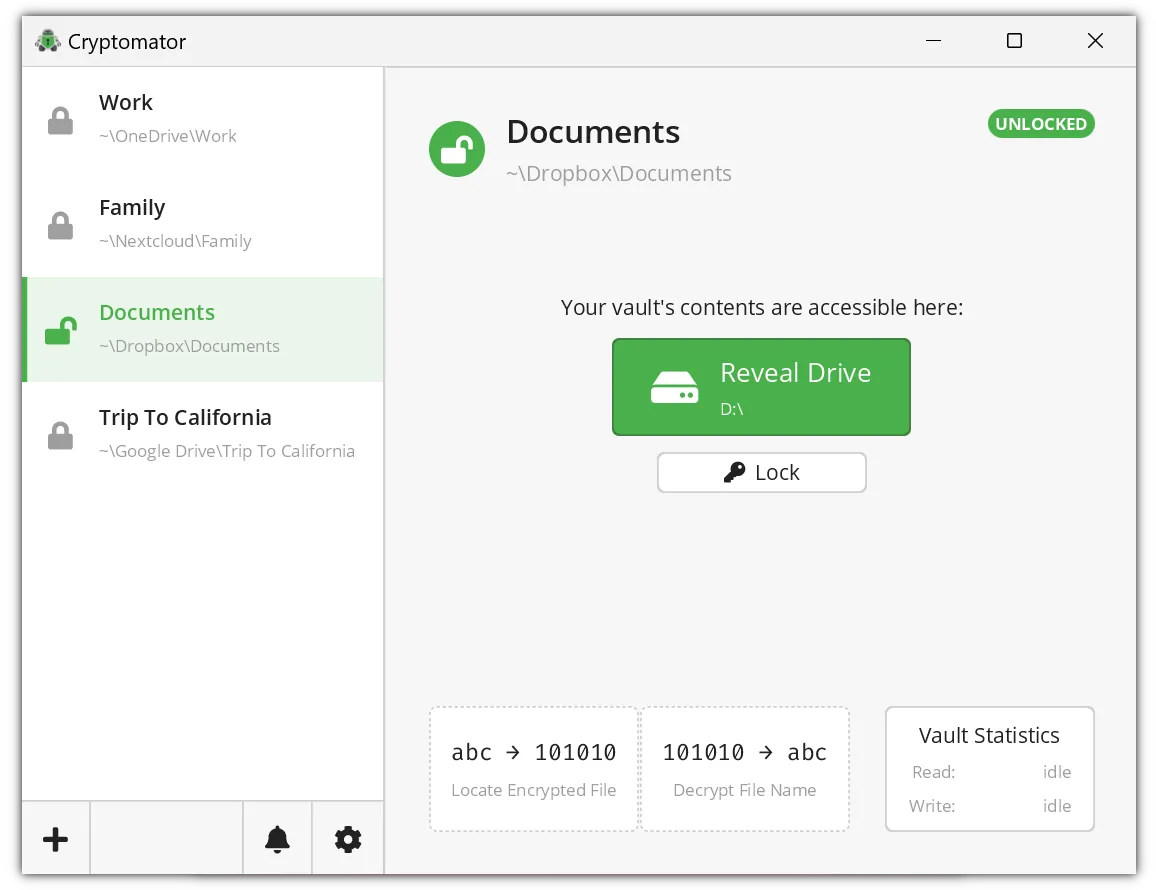
Cryptomator creates encrypted vaults inside a folder that your cloud sync client already uploads, such as Dropbox, OneDrive or Google Drive. When you unlock a vault with its password, Cryptomator shows it as a virtual drive; everything you save there is encrypted file by file before the sync client sees it.
Both file contents and file names are encrypted, and each file is encrypted separately, so syncing stays efficient. The desktop app is open source under the GPL v3 and free for personal use with unlimited vaults. Full access in the Android and iOS apps is an optional one-time purchase per platform, and Cryptomator Hub adds team management.
What it does well
- Works with any cloud. Uses the sync folder of Dropbox, OneDrive, Google Drive and other providers.
- File and name encryption. Encrypts file contents and names so the provider sees only scrambled data.
- Virtual drive. Unlocked vaults appear as a drive letter in File Explorer.
- Unlimited vaults. Create as many separate vaults with separate passwords as you need.
- Recovery key. Generates a recovery key to reset a forgotten vault password.
Who it is for
Good fit
People who keep private documents in a consumer cloud and want them encrypted before upload.
Look elsewhere
Teams that need shared access management without paying for Cryptomator Hub, or users who mostly work on phones and do not want to pay.
Pros and cons
Pros
- Free and open source on desktop
- Works with almost any cloud storage
- Encrypts file names as well as contents
- No account needed
Cons
- Full access in the mobile apps is a paid upgrade
- Installs the third-party WinFsp driver
- No built-in sharing of vaults with other people without Cryptomator Hub
How to install Cryptomator
Run the EXE installer, which also installs the WinFsp file system driver that Cryptomator uses for its virtual drive. If you already have WinFsp, you can use the MSI installer from the same page instead. Create the vault inside your cloud sync folder and store the recovery key somewhere safe.
Questions about Cryptomator
Is Cryptomator free?
Yes. The desktop app for Windows, macOS and Linux is free and open source. The Android and iOS apps need a one-time purchase for full access.
Can my cloud provider read my files?
No. Files and file names are encrypted on your PC before your sync client uploads them.
What happens if I forget the vault password?
You can reset it with the recovery key created for the vault. Without the password or the recovery key, the data cannot be decrypted.


