

Our verdict: Bitwarden gives you a cloud password manager that syncs everywhere without paying anything. The free plan covers unlimited passwords on unlimited devices. Some extras, such as built-in 2FA codes and file attachments, need the Premium plan.
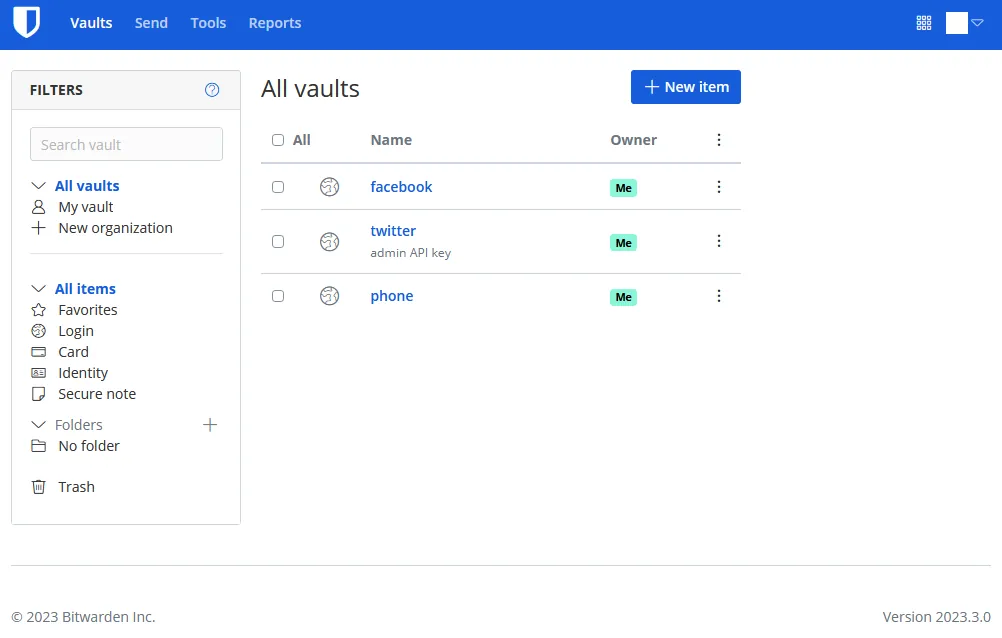
About Bitwarden
Bitwarden stores your vault on Bitwarden's servers with end-to-end encryption, so the company cannot read your passwords. The code of the apps is public on GitHub under the GPL v3, and you can also host the server yourself.
The free plan includes unlimited logins, notes, cards and identities, sync across all devices, a password generator, encrypted export and sharing with one other person. Premium, billed annually, adds an integrated authenticator for 2FA codes, encrypted file attachments, vault health reports and emergency access.
What it does well
- Unlimited free vault. No limit on passwords or devices on the free plan.
- Browser autofill. Extensions for Chrome, Edge, Firefox, Safari, Brave, Vivaldi, Opera and Tor Browser.
- Bitwarden Send. Shares text securely with a link that expires; files need Premium.
- Free sharing with one person. A free organization lets two users share logins in up to two collections.
- Self-hosting option. Run your own Bitwarden server instead of using Bitwarden's cloud.
Who it is for
Good fit
People who want their passwords synced across phone, PC and browser without paying.
Look elsewhere
Users who do not want their vault stored in any company's cloud.
Pros and cons
Pros
- Unlimited passwords and devices for free
- Open source
- Apps for every major platform
- Option to self-host
Cons
- 2FA code generator, attachments and health reports require Premium
- Requires a Bitwarden account and cloud sync unless you self-host
How to install Bitwarden
Download the standard Windows installer, or skip the desktop app and use the browser extension. Create a free account with a strong master password; Bitwarden cannot reset it if you forget it. Then turn on two-step login for your account in Settings.
Questions about Bitwarden
Is Bitwarden really free?
Yes. The free plan has no limit on passwords or devices. Premium is an optional yearly subscription for extra features.
What does Bitwarden Premium add?
An integrated authenticator for 2FA codes, encrypted file attachments, vault health reports, emergency access and extra two-step login options such as YubiKey OTP and Duo.
Can Bitwarden see my passwords?
No. The vault is encrypted on your device with your master password before it is synced.


