

Our verdict: Keeper is a polished paid password manager with strong encryption, Windows Hello unlock, passkey support, secure sharing and emergency access. On Windows it is effectively a paid app: the free plan only works on one mobile device with 10 records, so the desktop app needs the 30-day trial or a subscription. Bitwarden or KeePassXC give you unlimited passwords on the PC for free.
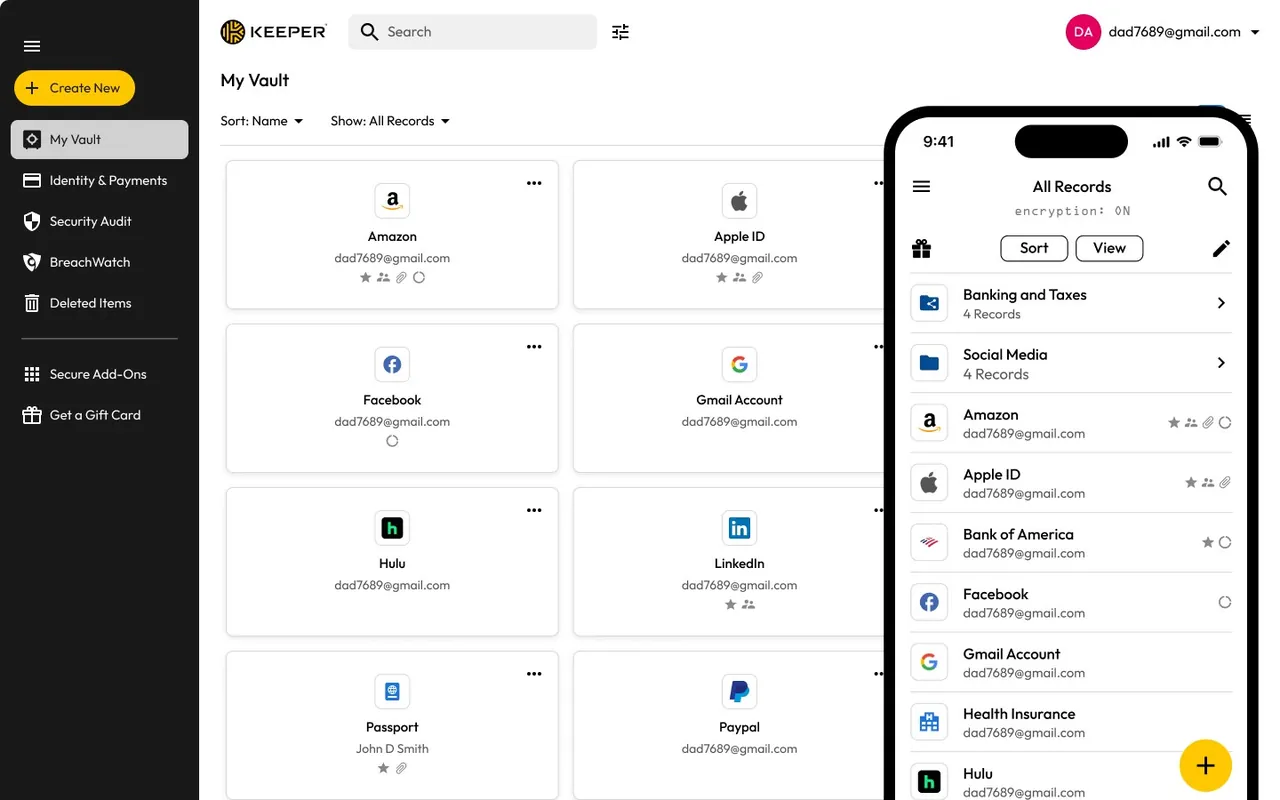
About Keeper Password Manager
Keeper Password Manager stores passwords, passkeys, payment cards and identity data in a vault encrypted with zero-knowledge AES-256 encryption, so Keeper Security cannot read it. The Windows app supports Windows Hello login and includes Keeper Forcefield, and browser extensions for Chrome, Firefox, Edge, Safari, Opera and Brave fill in logins automatically. Paid plans add unlimited devices and sync, secure sharing, emergency access for trusted contacts and 24/7 support; BreachWatch dark web monitoring and extra file storage are paid add-ons.
Keeper offers a 30-day free trial of its personal plans. The free plan that remains afterwards is limited to one mobile device and 10 password or passkey records, so it does not cover the Windows desktop app. The official pricing page lists Keeper Unlimited at $42.99 per year ($3.58 per month billed annually) and Keeper Family for 5 users at $91.99 per year; prices shown can vary with promotions and region. The current Windows app requires Windows 11 or later.
What it does well
- Zero-knowledge vault. Encrypts records with AES-256 on your device before they are synced.
- Windows Hello and passkeys. Unlocks with Windows Hello and stores passkeys alongside passwords.
- Autofill extensions. Fills logins in Chrome, Firefox, Edge, Safari, Opera and Brave.
- Secure sharing. Shares records with other users, including one-time shares with people who do not use Keeper.
- Emergency access. Lets up to five trusted contacts reach your vault after a waiting period.
Who it is for
Good fit
People and families who want a paid, well-supported password manager with sharing and emergency access on all devices.
Look elsewhere
Users who want a free password manager on Windows; Keeper's free plan only covers one mobile device.
Pros and cons
Pros
- Zero-knowledge AES-256 encryption
- Windows Hello unlock and passkey support
- Emergency access and secure sharing
- Apps for Windows, Mac, Linux and mobile
Cons
- Free plan does not include the Windows app; desktop use needs a subscription after 30 days
- Dark web monitoring and file storage cost extra
- Current Windows app requires Windows 11
How to install Keeper Password Manager
The button downloads the official 64-bit MSIX package, which Windows installs through App Installer; a 32-bit MSI and a Microsoft Store version are also listed on the download page. Create a Keeper account or start the 30-day trial on first launch, and enable Windows Hello login in the settings. Install the browser extension separately for autofill.
Questions about Keeper Password Manager
Is Keeper free?
Only on one mobile device with up to 10 records. On Windows you get a 30-day free trial; after that you need a subscription such as Keeper Unlimited, listed at $42.99 per year on the official pricing page.
Does Keeper work on Windows 10?
The current Keeper desktop app on the official download page requires Windows 11 or later.
Can I import passwords from my browser into Keeper?
Yes. Keeper can import passwords from browsers and other password managers into your vault.


