

Our verdict: Gpg4win is the standard way to use OpenPGP encryption on Windows. It bundles GnuPG with the Kleopatra key manager, an Outlook add-in and Explorer integration. It is powerful and free for any use, but managing keys takes some learning.
About Gpg4win
Gpg4win (GNU Privacy Guard for Windows) is the official GnuPG distribution for Windows and is maintained by the GnuPG developers. It supports both common email and file encryption standards, OpenPGP and S/MIME (X.509), and its creation was supported by the German Federal Office for Information Security (BSI).
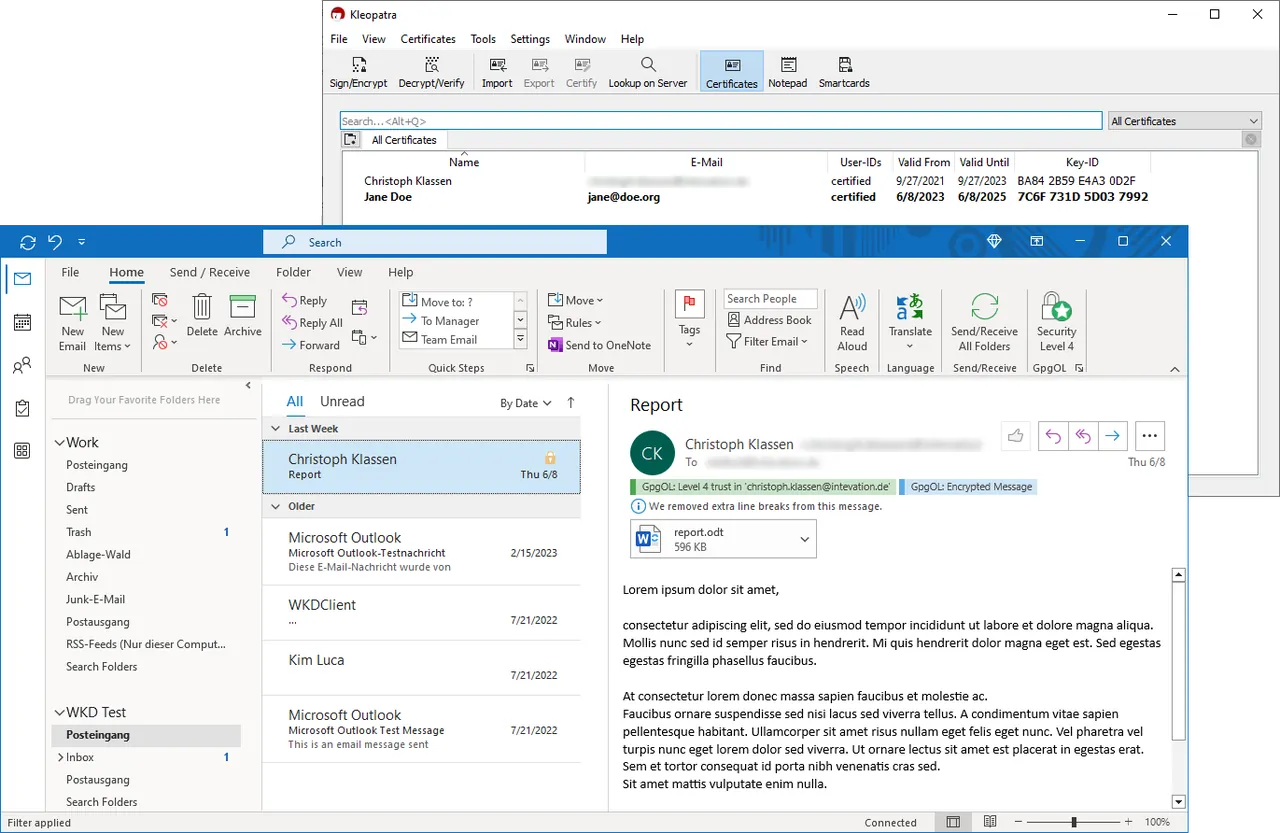
The installer includes GnuPG, the actual encryption engine; Kleopatra, a certificate manager with dialogs to encrypt, decrypt, sign and verify files; GpgOL, an add-in for classic Microsoft Outlook; and GpgEX, which adds encryption commands to File Explorer. All parts are free software and free of charge for private and commercial use.
What it does well
- GnuPG engine. Encrypts and signs data with OpenPGP and S/MIME.
- Kleopatra. Creates, imports and manages keys and certificates, and encrypts or verifies files.
- GpgOL for Outlook. Encrypts and signs email in classic Outlook 2021, 2024 and Microsoft 365.
- GpgEX. Adds encrypt, decrypt and sign commands to the File Explorer context menu.
- Okular with signatures. Includes the Okular document viewer, which can sign and check signed PDFs.
Who it is for
Good fit
Users, journalists and companies who need to exchange encrypted or signed email and files with OpenPGP or S/MIME.
Look elsewhere
People who want simple encrypted cloud storage or messaging without managing keys.
Pros and cons
Pros
- Free for private and commercial use
- Official GnuPG package, maintained by its developers
- Supports both OpenPGP and S/MIME
- Outlook and Explorer integration
Cons
- Key management has a learning curve
- The add-in for the new Outlook is still experimental, and the English compendium dates from 2016
- Only 64-bit Windows 10 and 11 are supported since version 5
How to install Gpg4win
Before installing, you can check the file against the OpenPGP signature or SHA256 checksum listed on the download page. Run the installer and keep Kleopatra selected; add GpgOL only if you use classic Outlook. After installing, open Kleopatra, create your key pair and back up the secret key.
Questions about Gpg4win
Is Gpg4win free?
Yes. Gpg4win and all included components are free software, free of charge for private and commercial use. Donations are optional.
What is Kleopatra?
Kleopatra is the key and certificate manager in Gpg4win. It also has dialogs to encrypt, decrypt, sign and verify files.
Does Gpg4win work with the new Outlook?
GpgOL works with classic Outlook. A GpgOL/Web add-in for the new Outlook is included since version 5.0 but is still marked experimental.


