

Our verdict: KeePassXC is for people who want a password manager without an account or a cloud subscription. Your passwords live in one encrypted file that you control. You must handle syncing between devices yourself, and in exchange no company holds your vault.
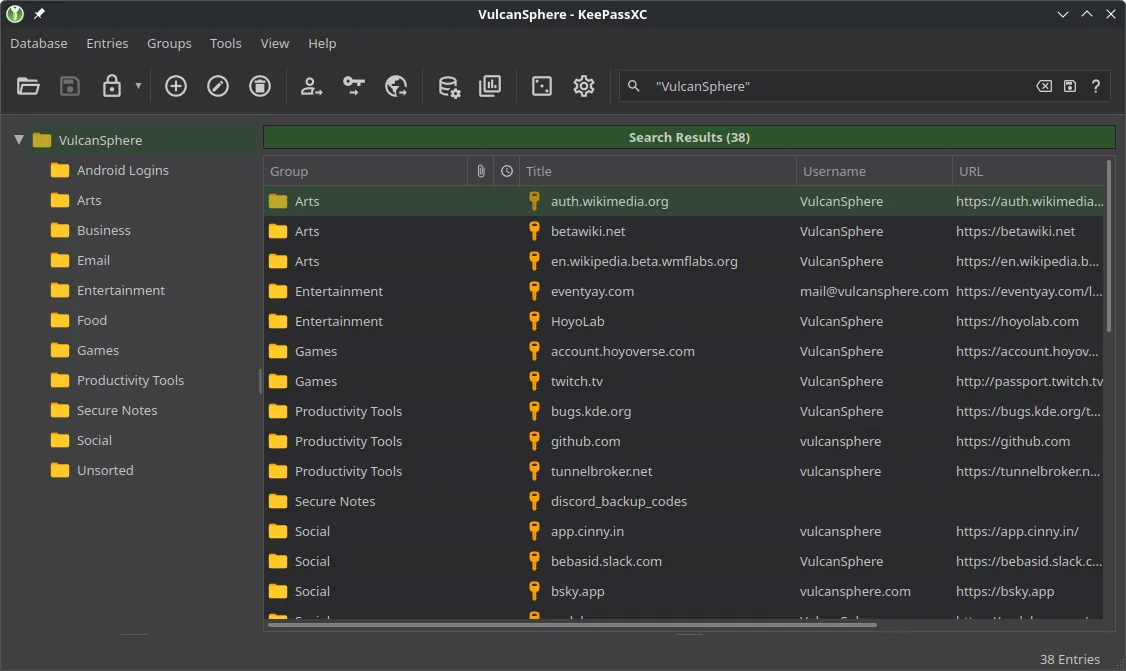
About KeePassXC
KeePassXC is a community project that uses the KeePass database format (KDBX). The file is encrypted with a master password and, optionally, a key file or hardware key, and it never leaves your computer unless you copy it.
Because the format is shared, the same database can be opened on phones with compatible apps such as KeePassDX on Android or Strongbox on iOS. Many people keep the file in a cloud folder to use it on several devices.
What it does well
- Offline encrypted vault. All entries are stored in a single KDBX file protected by strong encryption.
- Browser integration. The KeePassXC-Browser extension fills logins in Firefox, Chrome and Edge.
- Two-factor codes. Generates TOTP codes for sites that use authenticator apps.
- Password generator. Creates random passwords or passphrases with the rules you set.
- Health check. Flags weak, reused and old passwords, and can check them against known breaches.
Who it is for
Good fit
Privacy-minded users who prefer a local file over a cloud account.
Look elsewhere
People who want automatic syncing and sharing with family without any setup.
Pros and cons
Pros
- No account or subscription
- You control the encrypted file
- Built-in 2FA codes
- Works on Windows, macOS and Linux
Cons
- Sync between devices is up to you
- No official mobile app
- Setup takes a few minutes
How to install KeePassXC
Choose the Windows MSI installer or the portable ZIP on the download page. After installing, create a new database, pick a long master password and save the file somewhere you back up. Then enable browser integration in Settings and install the extension for your browser.
Questions about KeePassXC
Is KeePassXC safe?
It uses strong, well-reviewed encryption, and its code is public. Your security depends mostly on a strong master password and backups of the database file.
Can I use KeePassXC on my phone?
Not directly. Use a compatible app such as KeePassDX (Android) or Strongbox (iOS) with the same database file.
What is the difference between KeePass and KeePassXC?
KeePass is the original Windows app. KeePassXC is a separate project with a modern interface that runs on Windows, macOS and Linux and uses the same database format.


