

Our verdict: FileZilla is a dependable free client for moving files to web servers over FTP, FTPS or SFTP. The two-pane layout and site manager make regular uploads quick. Download it from the additional options page: the big download button on the official site gives an installer that may include bundled offers.
About FileZilla Client
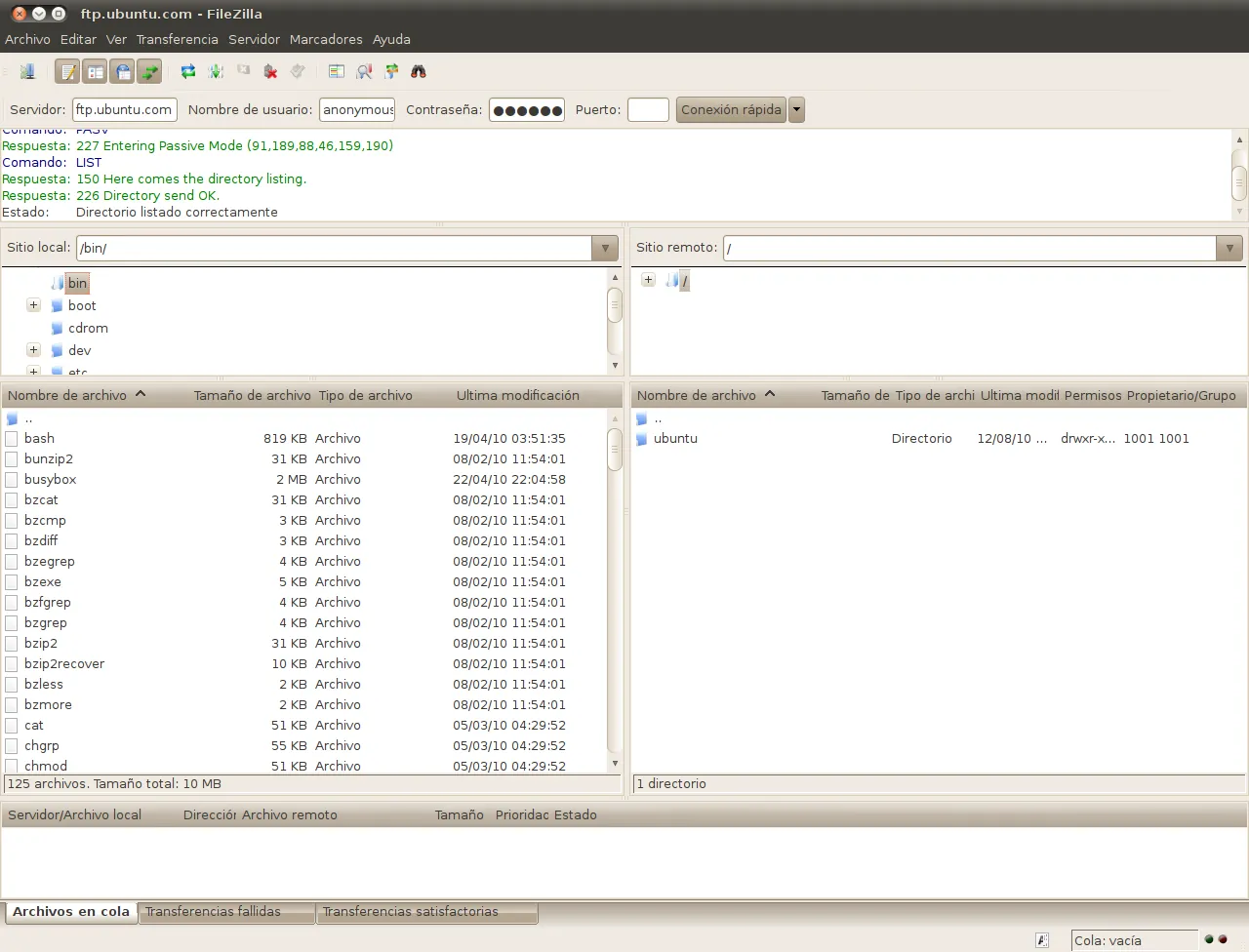
FileZilla Client is an open-source project led by Tim Kosse and distributed under the GNU GPL. It connects to servers over plain FTP, FTP over TLS (FTPS) and SFTP, and shows your local files on the left and the server on the right.
The default installer behind the main download button is labeled "This installer may include bundled offers". The project's "show additional download options" page lists installers and ZIP archives without those offers; their file names do not contain the word "sponsored". Cloud storage protocols such as Amazon S3, Google Drive, OneDrive and WebDAV are only in the paid FileZilla Pro.
What it does well
- FTP, FTPS and SFTP. Connects to most web hosts and servers, including encrypted FTPS and SSH-based SFTP.
- Site Manager. Saves server addresses, protocols, logins and start folders for one-click reconnects.
- Transfer queue. Queues uploads and downloads, resumes interrupted transfers and handles files over 4 GB.
- Directory comparison. Highlights differences between local and remote folders, with synchronized browsing.
- Remote editing and search. Opens a server file in a local editor and uploads the changes; searches remote folders by name.
Who it is for
Good fit
Web developers and site owners who upload files to hosting accounts over FTP or SFTP.
Look elsewhere
People who need to connect to cloud storage like S3 or Google Drive without paying for FileZilla Pro.
Pros and cons
Pros
- Supports FTP, FTPS and SFTP
- Clear two-pane layout with drag and drop
- Resumes large transfers
- Open source
Cons
- Default download button serves an installer with bundled offers
- Cloud storage and WebDAV need the paid Pro version
How to install FileZilla Client
Open filezilla-project.org/download.php?show_all=1, which is the page linked here, and pick the Windows 64-bit setup file whose name does not contain "sponsored". Skip the main download button on the regular download page, whose installer may include bundled offers. In the app, use File → Site Manager to save each server instead of retyping it in Quickconnect.
Questions about FileZilla Client
Is FileZilla free?
Yes. FileZilla Client is open source and free. FileZilla Pro, which adds cloud storage protocols, is a paid product.
How do I download FileZilla without bundled offers?
Use the "show additional download options" page on filezilla-project.org and choose an installer without "sponsored" in its file name.
Does FileZilla support SFTP?
Yes. Enter sftp:// before the host name in Quickconnect or choose SFTP as the protocol in the Site Manager.


