

Our verdict: Mountain Duck makes remote servers and cloud storage look like local drives, so any program can open and save files there. Built on Cyberduck, it supports many protocols and adds offline sync and Cryptomator encryption. It is paid after a 14-day trial, and the license covers only one major version.
About Mountain Duck
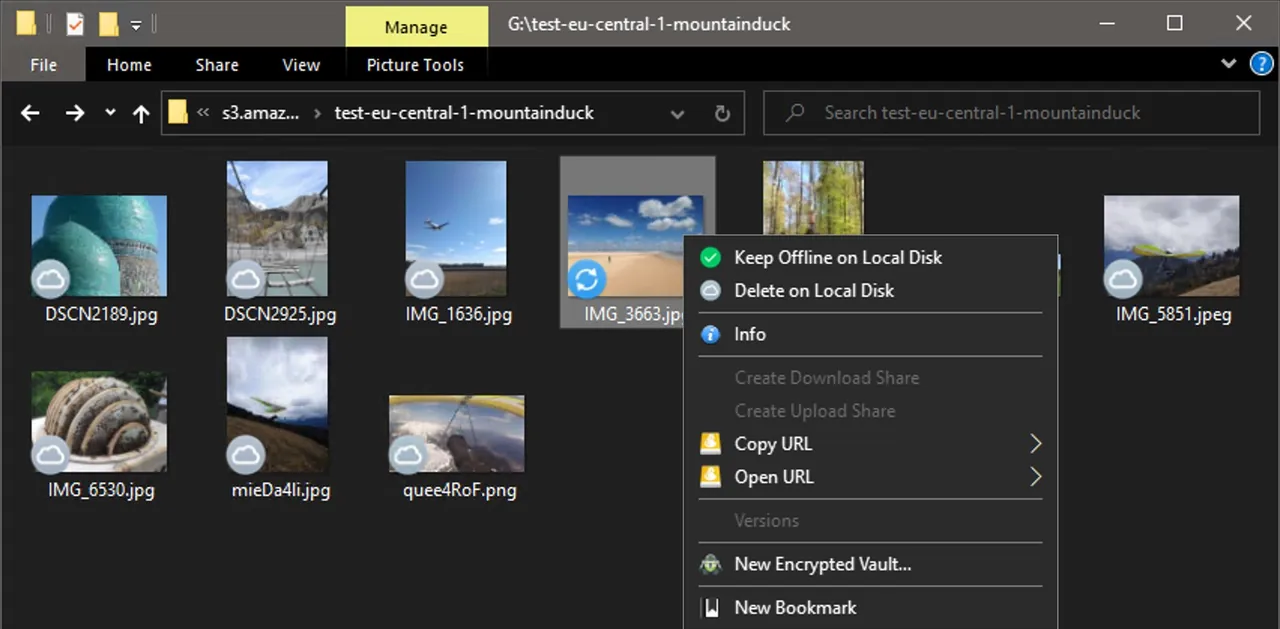
Mountain Duck from iterate GmbH, the makers of Cyberduck, mounts server and cloud storage as a disk in File Explorer. It connects over FTP, SFTP, WebDAV and SMB and to Amazon S3, OpenStack Swift, Google Cloud Storage, Azure, Backblaze B2, Google Drive, Dropbox, OneDrive, SharePoint and Box. Smart Synchronization shows all remote files but downloads them only when opened, and you can keep chosen folders offline. Changes upload in the background, files can be locked against conflicting edits and Cryptomator vaults add client-side encryption.
The Windows download is an MSIX package that installs without admin rights; the Online and Smart Synchronization modes ask to install an extra file system driver on first connect, while Integrated mode uses the Windows Cloud Files API. When the app first starts, you request a 14-day trial license from the license popup. After that you need a registration key: $49 per user, usable on all of that user's computers and valid for the current major version, with upgrade discounts for later versions.
What it does well
- Mount as a drive. Shows remote servers and cloud storage as disks in File Explorer.
- Many protocols. FTP, SFTP, WebDAV, SMB, S3, Azure, B2, Google Drive, Dropbox, OneDrive and more.
- Smart Synchronization. Lists all remote files and downloads them only when you open them.
- File locking. Locks Office documents on the server to prevent conflicting edits.
- Cryptomator vaults. Encrypts files client-side with Cryptomator-compatible vaults.
Who it is for
Good fit
Web developers and admins who edit files on servers or cloud buckets directly from Windows apps.
Look elsewhere
Users who only transfer files now and then; free clients like Cyberduck, WinSCP or FileZilla do that.
Pros and cons
Pros
- Remote storage works like a local drive in any app
- Supports most server protocols and cloud services
- Offline files and background uploads
- One license covers all of a user's computers
Cons
- Paid after the 14-day trial ($49 per user)
- License is valid for one major version only
- Some connect modes need an extra file system driver
How to install Mountain Duck
The button downloads the official MSIX package; open it to install without admin rights. On first start choose Request Trial in the license popup to get the 14-day trial key. If you use Online or Smart Synchronization mode, allow the extra file system driver when Windows asks.
Questions about Mountain Duck
Is Mountain Duck free?
No. It has a 14-day free trial that you request from the app's license popup. After that you need a $49 license per user, which covers the current major version on all of that user's computers.
What is the difference between Mountain Duck and Cyberduck?
Cyberduck is a free, open-source file transfer client with its own window. Mountain Duck mounts the same connections as drives in File Explorer so any program can use them.
Does Mountain Duck need admin rights?
No, the MSIX package installs without admin privileges. Online and Smart Synchronization modes need an additional file system driver installed once.


