

Our verdict: ImHex is the most capable free hex editor for reverse engineering: its pattern language parses and color-codes file formats, and a disassembler, data inspector, diffing and hashing are built in. It is open source and actively developed. For a quick byte edit it can feel heavy, and the many panels take time to learn.
About ImHex
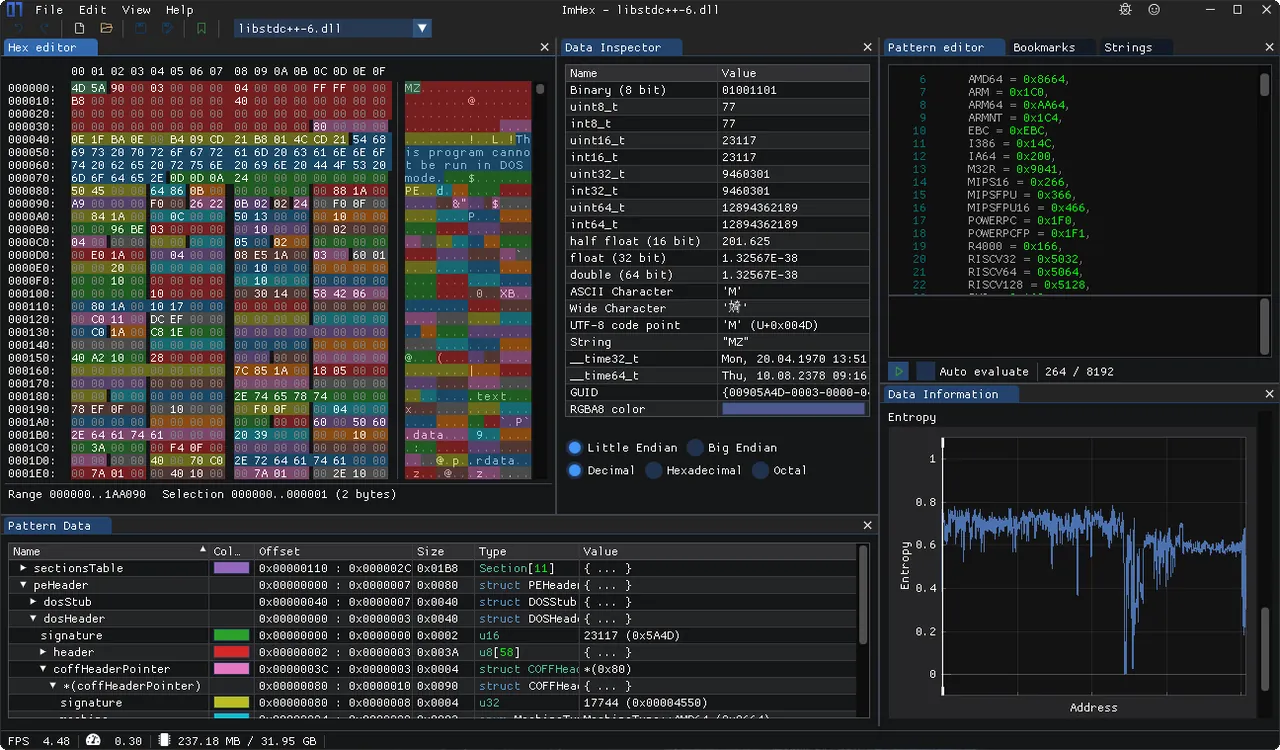
ImHex is an open-source hex editor developed by WerWolv and contributors. Besides a fast hex view with byte patching, unlimited undo and bookmarks, it has a C++-like pattern language that describes structures, arrays, pointers, enums and bitfields, then highlights the matching bytes and can visualize images, audio, 3D models and timestamps. Patterns load automatically based on MIME type or magic values.
The data inspector reads the bytes under the cursor as integers, floats, strings, GUIDs, dates and colors. ImHex also includes a Capstone-based disassembler for ARM, x86, MIPS, RISC-V and other architectures, a node-based data pre-processor for decrypting or decoding data, regex and binary-pattern search, many hash algorithms and a diff view. It can open local files, raw disks, process memory, GDB servers and remote files over SFTP.
What it does well
- Pattern language. Parses file formats with C++-like structs and highlights each field in the hex view.
- Data inspector. Interprets selected bytes as integers, floats, strings, GUIDs, dates and colors.
- Disassembler. Disassembles ARM, x86, MIPS, RISC-V, PowerPC and other architectures.
- Search and hashing. Regex, byte-pattern and numeric search, plus CRC, MD5, SHA and many more hashes.
- Many data sources. Opens files, raw disks, process memory, GDB servers and remote files via SFTP.
Who it is for
Good fit
Reverse engineers, security researchers, game modders and embedded developers who analyze binary formats.
Look elsewhere
People who only need to change a few bytes quickly; a simpler editor like HxD is faster to learn.
Pros and cons
Pros
- Open source and free
- Powerful pattern language for file formats
- Built-in disassembler, diffing and hashing
- Dark theme and customizable interface
Cons
- Steep learning curve with many panels
- Heavier than simple hex editors for quick edits
- Uses GPU rendering; some PCs need the separate NoGPU build
How to install ImHex
The button downloads the 64-bit Windows MSI from the official GitHub release. Portable ZIP builds are also available, including a NoGPU build that does not rely on GPU rendering, for PCs where the standard build fails to start. Extra patterns, themes and scripts can be downloaded from the built-in Content Store.
Questions about ImHex
Is ImHex free?
Yes. ImHex is open source under the GNU GPL v2 and free to use.
What is the ImHex pattern language?
A C++-like language for describing binary structures. ImHex runs the pattern on the file, highlights each field in the hex view and lists the decoded values.
Can ImHex edit process memory?
Yes. ImHex can open the address space of a running process, raw disks and partitions, and memory of devices through a GDB server.


