

Our verdict: Krita is the best free app for drawing and painting on a PC. It is built for artists with a pen tablet: great brushes, stroke stabilizers and simple frame-by-frame animation. For photo retouching, GIMP or Paint.NET are better choices.
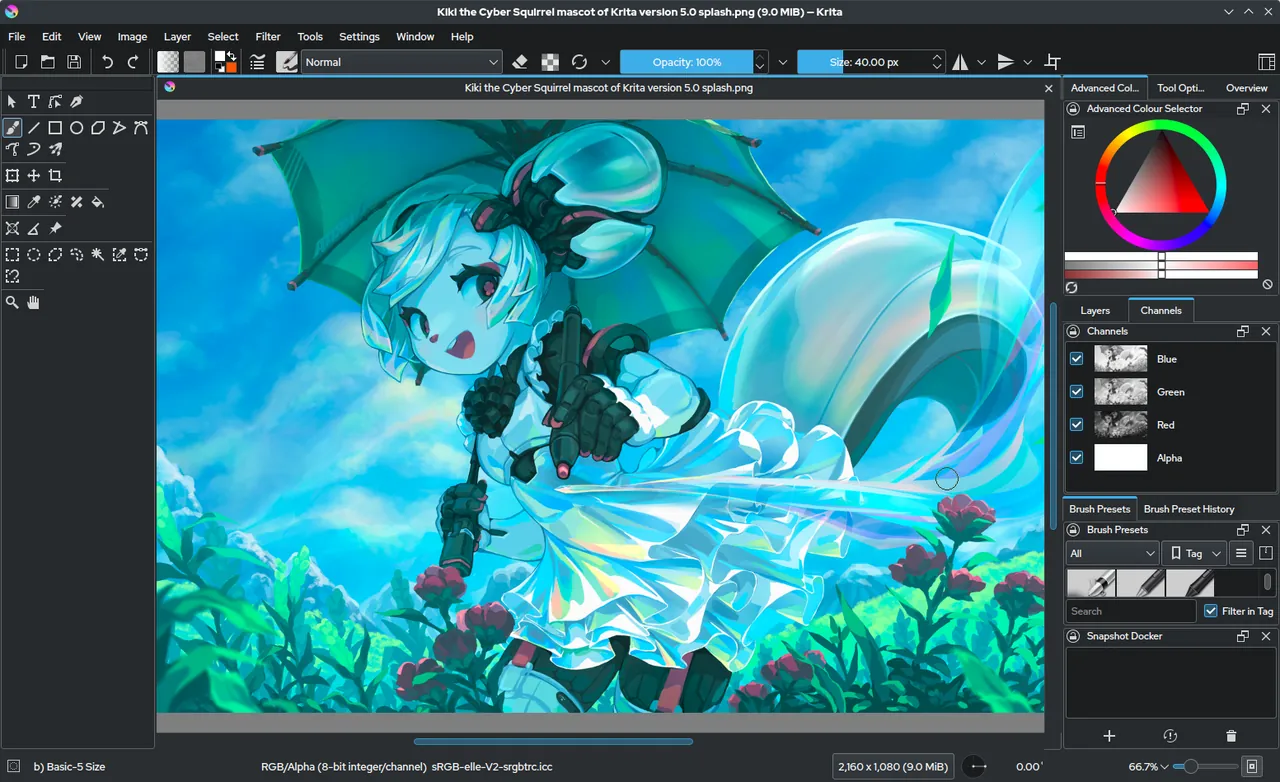
About Krita
Krita is developed by a small team supported by the Krita Foundation and the KDE community. It is designed by and for illustrators, so the defaults feel natural with a pen tablet.
The app is free on krita.org. Paid versions on Steam and in the Microsoft Store are the same software, and buying one is a way to support development.
What it does well
- Brush engines. Dozens of brush engines and presets for inking, painting, texture and smudging.
- Stabilizers. Smooth shaky lines for clean inking.
- Wrap-around mode. Paint seamless textures and patterns that tile.
- Animation. Frame-by-frame animation with onion skinning and a timeline.
- Reference tools. Reference images, perspective assistants and color palettes.
Who it is for
Good fit
Illustrators, comic artists and anyone drawing with a pen tablet.
Look elsewhere
Photo retouching and layout design.
Pros and cons
Pros
- Excellent brushes
- Built for pen tablets
- Includes animation tools
- Free with no feature limits
Cons
- Not designed for photo editing
- Many panels can overwhelm beginners
How to install Krita
Download the Windows installer from krita.org. A portable version is also listed. Before your first painting, check Settings → Configure Krita → Tablet settings if your pen pressure does not respond.
Questions about Krita
Is Krita really free?
Yes. The download on krita.org is free. Store versions cost money to support the project but contain the same app.
Do I need a drawing tablet for Krita?
No, but Krita shines with one. With a mouse it works for simple shapes and coloring.
Can Krita open PSD files?
Yes. It opens and saves PSD files with layers.


