

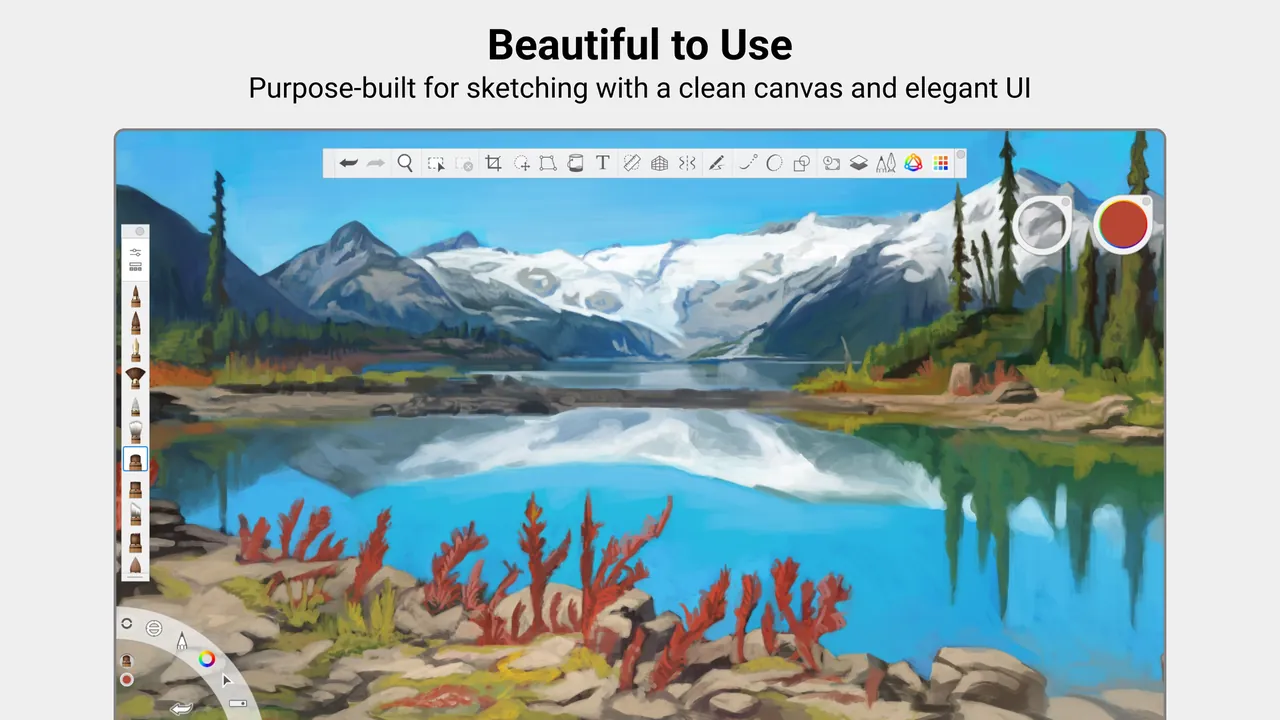
Our verdict: Sketchbook Pro stays out of the way: a quiet canvas, brushes that feel like real pens and solid rulers for precise lines. It is a one-time $24.99 purchase with no subscription. Its painting and comic tools are thinner than Krita or Clip Studio Paint, and on Windows it is only sold through the Microsoft Store.
About Sketchbook Pro
Sketchbook was created by Autodesk, which stopped offering it in June 2021; since then it has been developed and sold by Sketchbook, Inc. The Windows desktop edition is called Sketchbook Pro. It is a one-time purchase of $24.99 in the Microsoft Store, without ads or a subscription, and a Microsoft account can install it on up to ten Windows PCs. Sketchbook does not sell or distribute it directly to home users.
The Microsoft Store lists a free trial. Sketchbook's license agreement describes the trial as fully functional but time-limited, 15 days unless another term is shown when you install, and meant for evaluation only, not commercial work. After that you need to buy the app to keep using it. The free mobile app for Android and iOS is separate and does not unlock the Windows version.
What it does well
- Natural brushes. Hundreds of customizable pencils, markers, airbrushes, paint and smear brushes.
- Rulers and guides. Straight, curved and ellipse rulers, French curves and a Predictive Stroke tool.
- Symmetry. Vertical, horizontal and radial symmetry mirror strokes as you draw.
- Layers and fills. Layers with blend modes, linear and radial gradients and a Lasso Fill tool.
- Pen support. Pressure and tilt through Windows Ink, with native support for ARM-based PCs.
Who it is for
Good fit
Illustrators, designers and concept artists who want a fast, uncluttered sketching app for a one-time price.
Look elsewhere
Comic artists and painters who need panels, vector inking or advanced painting tools, or anyone avoiding the Microsoft Store.
Pros and cons
Pros
- One-time purchase, no subscription
- Very clean, distraction-free interface
- Excellent rulers and stroke assistance
- Native build for ARM-based Windows PCs
Cons
- Only sold through the Microsoft Store on Windows
- Trial is short and not for commercial work
- Fewer painting and comic tools than Krita or Clip Studio Paint
How to install Sketchbook Pro
Open the Sketchbook Pro page in the Microsoft Store from sketchbook.com and start the free trial or buy it while signed in with a Microsoft account. Enable Windows Ink in your pen tablet driver, because Sketchbook Pro needs it for pressure sensitivity. Interface language can be changed in Edit > Preferences > General.
Questions about Sketchbook Pro
Is Sketchbook Pro free?
No. On Windows, Sketchbook Pro is a $24.99 one-time purchase in the Microsoft Store. The Store offers a free trial; the license agreement sets it at 15 days unless another term is shown at installation, and after it you must buy the app. The trial and the purchase both go through a Microsoft account.
Is Sketchbook still made by Autodesk?
No. Autodesk discontinued SketchBook in June 2021. It is now developed and sold by Sketchbook, Inc.
Is the mobile Sketchbook app free?
Yes. Sketchbook for Android and iOS is free, with an optional $2.99 Premium Bundle. It does not include the Windows version.


