LibreOffice — Free Office Suite

By The Document Foundation · Office & PDF
  • Open source
  • Free
  • Office & PDF
4.1 / 5 · 47 ratings on Microsoft Store
Download LibreOffice Direct download from download.documentfoundation.org Official download page Link checked October 19, 2026

Our verdict: LibreOffice is the strongest free desktop alternative to Microsoft Office. It handles documents, spreadsheets and presentations offline, and opens DOCX, XLSX and PPTX files. Complex layouts and Excel macros do not always transfer perfectly.
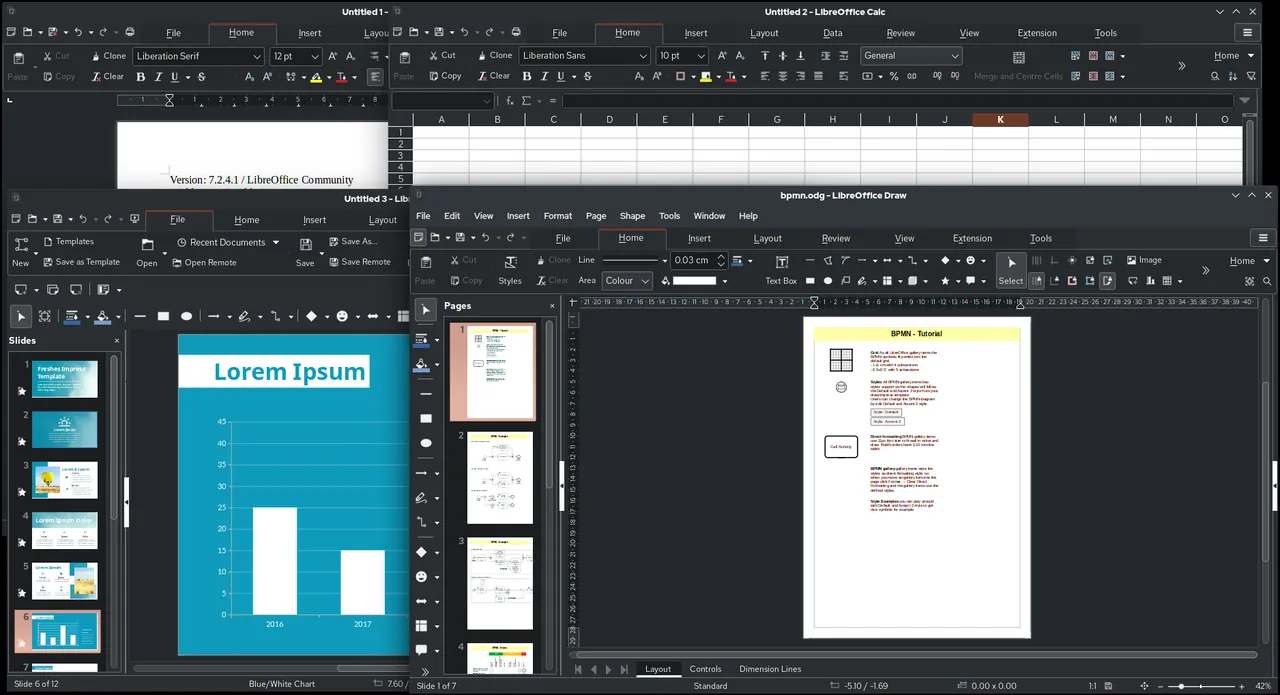
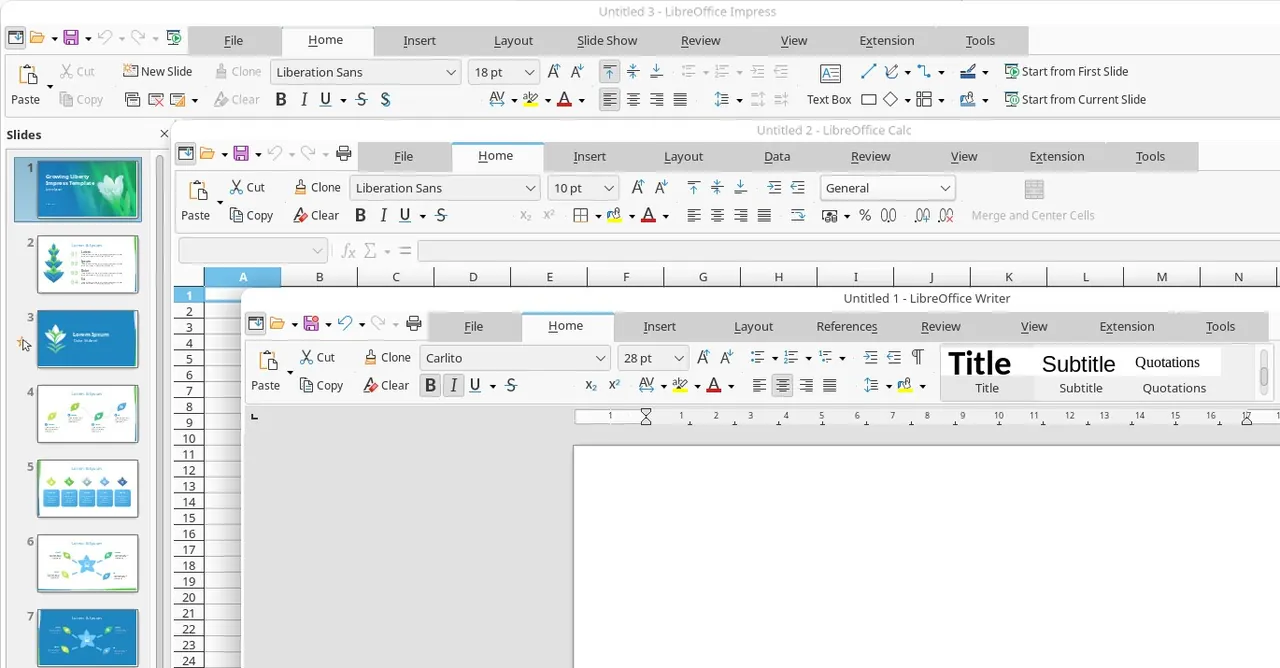
LibreOffice Writer, Calc, Impress and Draw open side by side
LibreOffice Writer, Calc, Impress and Draw open side by side · Screenshot: VulcanSphere, MPL 2, via Wikimedia Commons
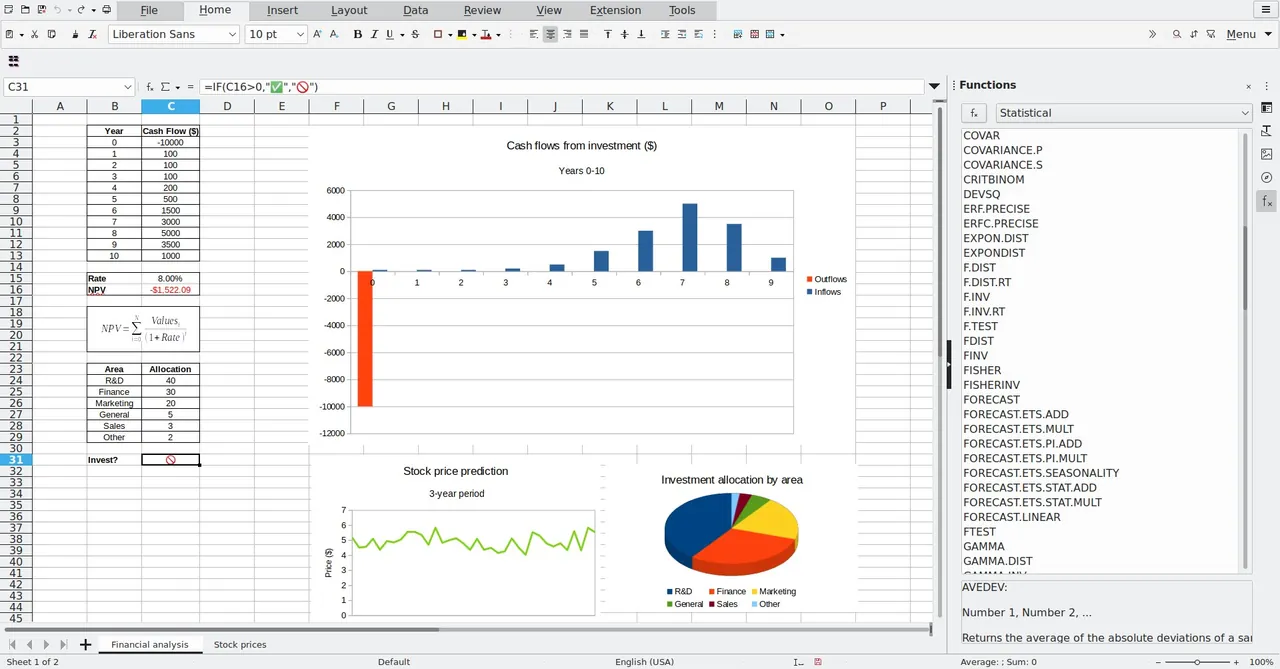
LibreOffice window view, screenshot from the Microsoft Store
LibreOffice window view, screenshot from the Microsoft Store · Screenshot: The Document Foundation, from the Microsoft Store
LibreOffice window view, screenshot from the Microsoft Store
LibreOffice window view, screenshot from the Microsoft Store · Screenshot: The Document Foundation, from the Microsoft Store

About LibreOffice

LibreOffice is developed by The Document Foundation, a non-profit organization, and a large volunteer and corporate community. It works fully offline and needs no account.

Its native format is OpenDocument (ODT, ODS, ODP), an open standard. It can also save in Microsoft formats, which is the choice to make when you share files with Office users.

What it does well

  • Writer. Word processor with styles, tables of contents, mail merge and track changes.
  • Calc. Spreadsheets with pivot tables, charts and a large function library.
  • Impress. Presentations with slide masters, transitions and presenter view.
  • Draw and Math. Diagrams, simple layouts and formula editing.
  • PDF export. Exports any document to PDF, including PDF/A for archiving.

Who it is for

Good fit

Students, home users and organizations that need a full office suite without subscriptions.

Look elsewhere

Teams relying on Excel VBA macros or real-time co-editing in the desktop app.

Pros and cons

Pros

  • Complete office suite
  • Opens Microsoft Office files
  • Works offline, no account
  • Free for business use

Cons

  • Complex Office layouts may shift
  • Excel VBA macros are only partly supported
  • No real-time co-editing in the desktop app

How to install LibreOffice

The download button gets the main Windows x86_64 installer. A separate help pack on the download page is optional. If you mainly work with Microsoft files, set Tools → Options → Load/Save → General to save in Word, Excel and PowerPoint formats by default.

Questions about LibreOffice

Can LibreOffice open Word documents?

Yes. It opens and saves DOC and DOCX. Simple documents look the same; complex layouts may need small fixes.

Is LibreOffice free for companies?

Yes. There are no license fees for any use.

What is the difference between LibreOffice and OpenOffice?

LibreOffice started as a fork of OpenOffice.org in 2010 and is much more actively developed today.

Download LibreOffice from libreoffice.org ExeDepot does not host this file. The download starts from the developer's server, download.documentfoundation.org. Other versions are on the official download page.

Alternatives to LibreOffice

  • ONLYOFFICE Desktop Editors Office Suite

    Office suite with native DOCX, XLSX and PPTX editing plus a real PDF editor.

    Ascensio System SIA · Open source · onlyoffice.com
  • Microsoft 365 Office Suite

    Subscription with the Word, Excel, PowerPoint, Outlook and OneNote desktop apps plus 1 TB of OneDrive.

    Microsoft · Free trial · microsoft.com
  • WPS Office Office Suite

    Office suite with Writer, Spreadsheet, Presentation and PDF tools that open Microsoft formats.

    WPS Software (Kingsoft Office) · Freeware · wps.com
  • SoftMaker FreeOffice Office Suite

    Free word processor, spreadsheet and presentation apps with strong Microsoft Office compatibility.

    SoftMaker Software GmbH · Freeware · freeoffice.com

Similar to LibreOffice All office & pdf apps

  • Apache OpenOffice Office Suite

    Classic open-source office suite with Writer, Calc and Impress, now updated only with maintenance fixes.

    Apache Software Foundation · Open source · openoffice.org
  • Adobe Acrobat Pro PDF Editor

    Adobe's full PDF editor: edit text, OCR scans, convert to Office, redact and request e-signatures.

    Adobe · Free trial · adobe.com
  • Foxit PDF Editor PDF Editor

    Acrobat-style PDF editor with text editing, Office conversion, OCR, forms, redaction and an AI assistant.

    Foxit Software · Free trial · foxit.com
  • Master PDF Editor PDF Editor

    Compact PDF editor for text, images, forms, OCR and signatures; the unregistered demo watermarks edited files.

    Code Industry Ltd. · Shareware · code-industry.net