

Our verdict: Min is a calm, distraction-free browser for people who find Chrome and Edge cluttered. Tasks, focus mode and full-text history search are genuinely useful. It does not support Chrome extensions and has few settings, so it works best as a focused second browser rather than a full replacement.
About Min
Min is an open-source browser written in JavaScript on top of Electron, which uses the Chromium engine to render pages. The project is developed on GitHub and released for Windows, macOS and Linux.
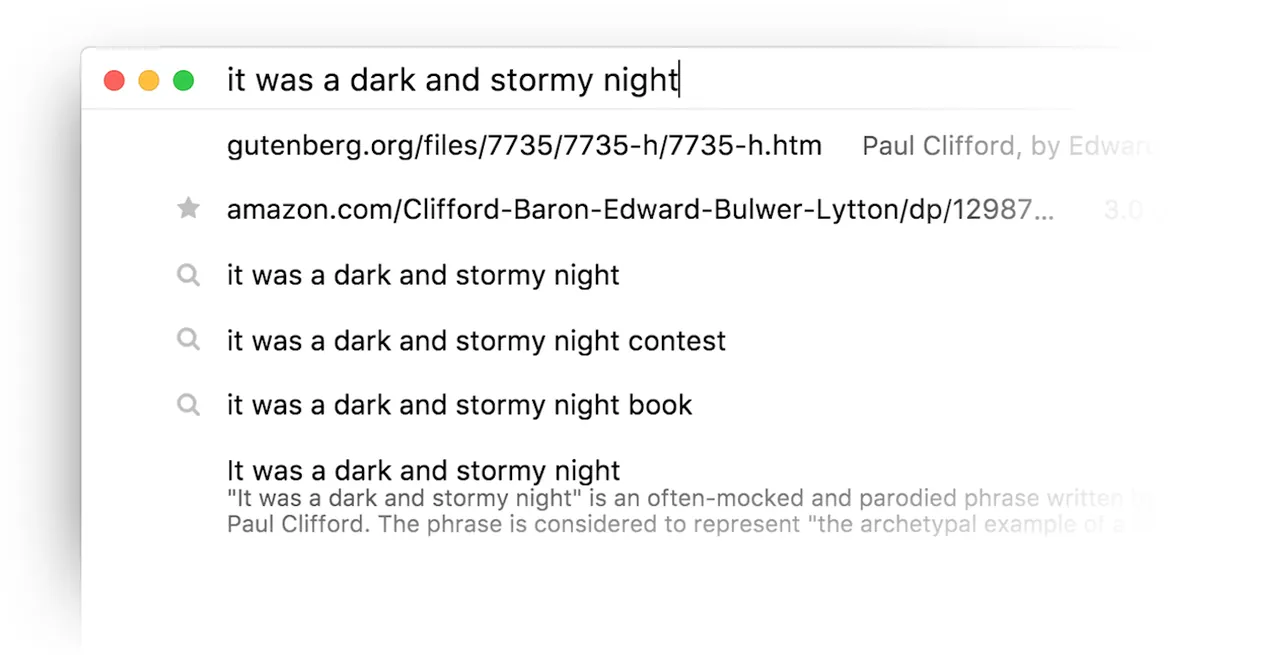
Instead of a long tab strip, Min groups tabs into Tasks that you switch between with keyboard shortcuts; inactive tasks collapse automatically. Pages you have not looked at for a while fade out, and focus mode hides other tabs. Min blocks most ads and trackers by default, can search the full text of every page you have visited on your device, and organizes bookmarks with tags.
What it does well
- Tasks. Group tabs by project and switch between groups with keyboard shortcuts.
- Focus mode. Hides all other tabs so you can work on one page without distractions.
- Full-text history search. Searches the text of every page you have visited, stored locally on your device.
- Ad and tracker blocking. Blocks most ads and trackers automatically, no extension needed.
- Tagged bookmarks. Organize bookmarks with tags and get suggestions for similar pages.
Who it is for
Good fit
People who want a simple, fast-feeling browser for focused work and research.
Look elsewhere
Users who depend on Chrome or Firefox extensions, password-manager add-ons or advanced settings.
Pros and cons
Pros
- Clean, minimal interface
- Tasks keep many tabs organized
- Built-in ad and tracker blocking
- Full-text search of your history
Cons
- No support for Chrome or Firefox extensions
- Few settings compared with mainstream browsers
- Small project with infrequent releases
How to install Min
The direct link is the 64-bit Windows setup from the latest GitHub release; separate setups exist for ARM64 and 32-bit Windows. Min has no extension store, so check that you can live without your usual add-ons. Settings are in the menu under Preferences, including the content-blocking level.
Questions about Min
Is Min free?
Yes. Min is free and open source under the Apache License 2.0.
Which engine does Min use?
Min is built on Electron, so pages are rendered by Chromium's Blink engine.
Can I install extensions in Min?
No, Min does not support Chrome or Firefox extensions; ad and tracker blocking are built in instead.


