

Our verdict: MongoDB Compass is the most complete free GUI for MongoDB, made by MongoDB itself. It turns queries, aggregation pipelines and index work into forms you can see and test, and includes the MongoDB Shell. It only works with MongoDB and is a large Electron app.
About MongoDB Compass
MongoDB Compass is the graphical client for MongoDB databases, developed by MongoDB, Inc. It is free to download and use, and its source code is published on GitHub under the Server Side Public License. It connects to local servers, self-hosted clusters and MongoDB Atlas.
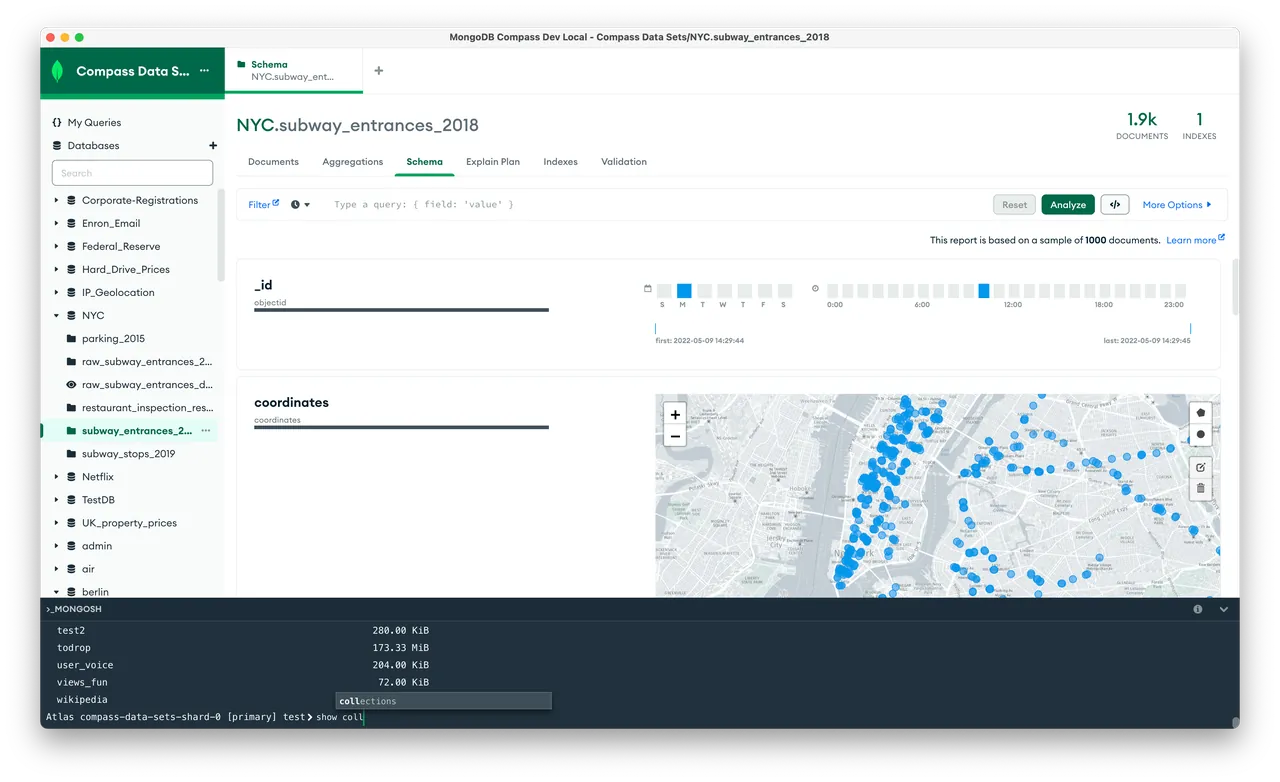
You browse collections as lists, JSON or tables, edit and insert documents, and build filters, projections and sorts with autocompletion. The aggregation pipeline builder previews the output of each stage, and you can export a pipeline or query as code for several programming languages. Compass also analyzes a collection's schema, shows explain plans, manages indexes and has an embedded MongoDB Shell.
What it does well
- Document browser. View, filter, edit, clone and delete documents in list, JSON or table view.
- Aggregation builder. Build pipelines stage by stage with a preview of each stage's output.
- Schema and performance. Analyze field types in a collection, view explain plans and manage indexes.
- Export to code. Turns queries and pipelines into code for drivers such as Python, Java, C# and Node.js.
- Embedded shell. Includes the MongoDB Shell (mongosh) inside the app.
Who it is for
Good fit
Developers and admins who work with MongoDB or MongoDB Atlas and want a visual query tool.
Look elsewhere
Anyone using SQL databases, or people who want an OSI-approved open-source license.
Pros and cons
Pros
- Official tool, free to use
- Visual aggregation pipeline builder
- Exports queries as driver code
- Works with local servers and MongoDB Atlas
Cons
- MongoDB only
- Large Electron app that uses a lot of memory
- SSPL license is not recognized as open source by the OSI
How to install MongoDB Compass
Download the standard edition; the Readonly and Isolated editions on the same page are for locked-down environments. On first launch, Compass asks whether to send usage data and enable automatic updates; you can turn both off. Paste a connection string or use localhost:27017 for a local server.
Questions about MongoDB Compass
Is MongoDB Compass free?
Yes. Compass is free to download and use, including with MongoDB Atlas and self-hosted servers.
Is MongoDB Compass open source?
Its source code is public on GitHub under the Server Side Public License, which is source-available but not approved as open source by the OSI.
What are the Readonly and Isolated editions?
Readonly disables writes and deletes; Isolated makes no network requests except to the database you connect to.


