

Our verdict: Okular is a capable open-source reader that opens far more formats than a typical PDF viewer and lets you annotate and sign PDFs for free. On Windows the stable version comes only from the Microsoft Store, and it feels more at home on Linux than on Windows.
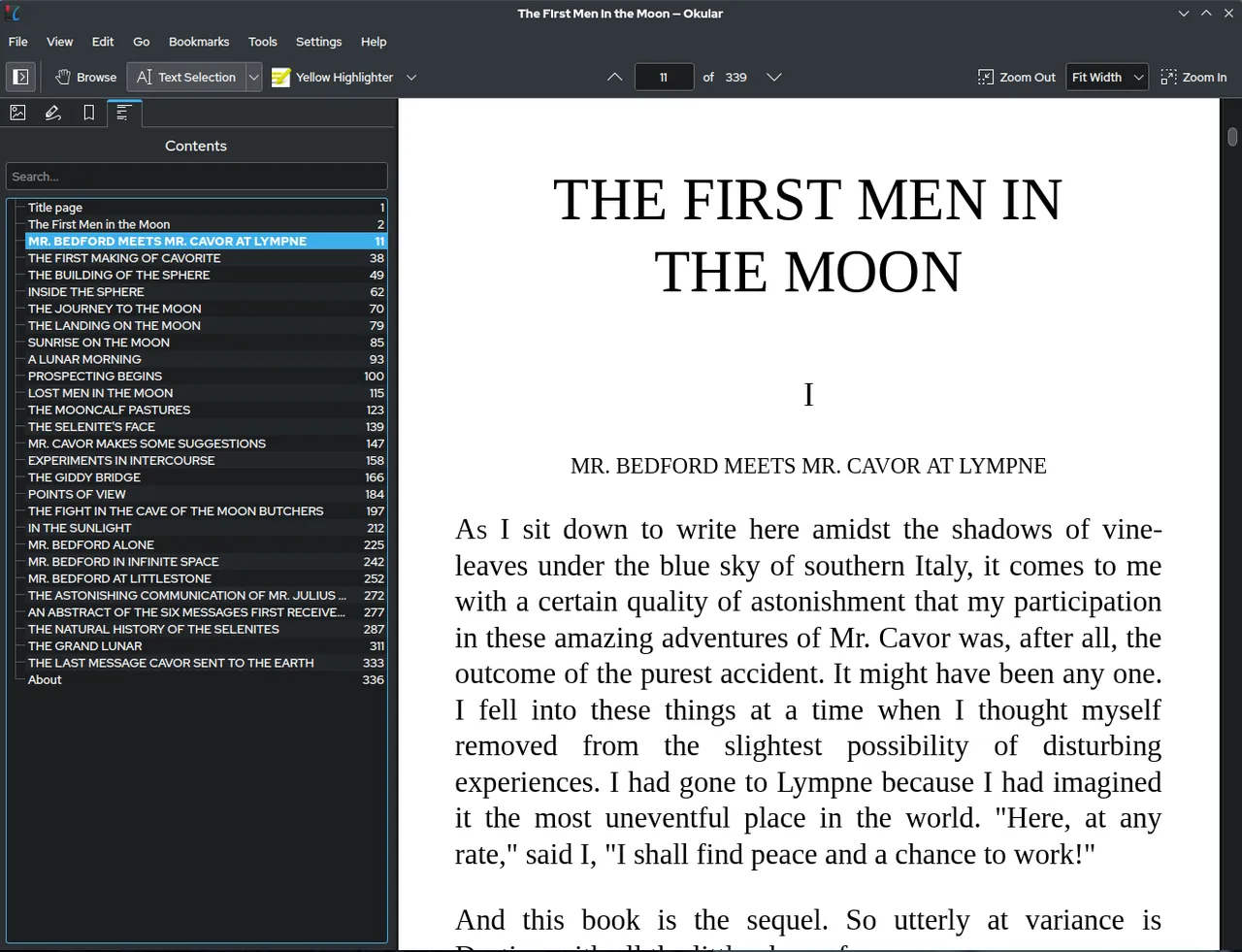
About Okular
Okular is the document viewer of the KDE community, released under the GNU GPL v2 or later as part of KDE Gear. It reads PDF, EPUB, DjVu, Markdown and XPS documents, CBR and CBZ comic books and common image formats such as JPEG, PNG, TIFF and WebP.
In Annotation mode you add inline and popup notes, highlight and underline text or draw freehand. Okular can verify digital signatures in PDFs, detect changes made after signing and sign PDFs itself. KDE recommends the Microsoft Store version for Windows because it is tested and updates automatically; the other Windows builds on the site are untested nightlies.
What it does well
- Many formats in one app. Opens PDF, EPUB, DjVu, XPS, Markdown, CBR/CBZ comics and image files.
- PDF annotations. Inline and popup notes, highlights, underlines, stamps and freehand drawing.
- Digital signatures. Verifies signatures in PDFs, shows changes made after signing and signs documents.
- Selection and magnifier. Copy text or areas from documents and zoom into small print with the magnifier.
- Thumbnails and contents. Side panels with page thumbnails and the document's table of contents.
Who it is for
Good fit
People who want one free viewer for PDFs, e-books, DjVu scans and comics, with annotation tools.
Look elsewhere
Windows users who do not use the Microsoft Store or who need full PDF editing.
Pros and cons
Pros
- Open source with no ads
- Reads PDF, EPUB, DjVu, XPS and comic books
- Annotations and PDF signing for free
- Energy-efficient: awarded the Blue Angel ecolabel
Cons
- Stable Windows version only through the Microsoft Store
- KDE interface looks less native on Windows than on Linux
- Cannot edit existing PDF text or images
How to install Okular
Install Okular from the Microsoft Store using the link on the official download page; the Store version is the tested stable release and updates itself. Ignore the nightly builds on the same page unless you want to test unfinished versions. After the first start, set Okular as the default app for PDF or DjVu files in Windows Settings if you like it.
Questions about Okular
Is Okular free?
Yes. Okular is free and open-source software under the GNU GPL, and the Microsoft Store version costs nothing.
Where do I get the stable Windows version?
From the Microsoft Store. KDE recommends it because it is tested; the other Windows builds on the download page are untested nightlies.
Can Okular edit PDFs?
It can add annotations, fill forms and sign PDFs, but it does not edit existing text or images.


