

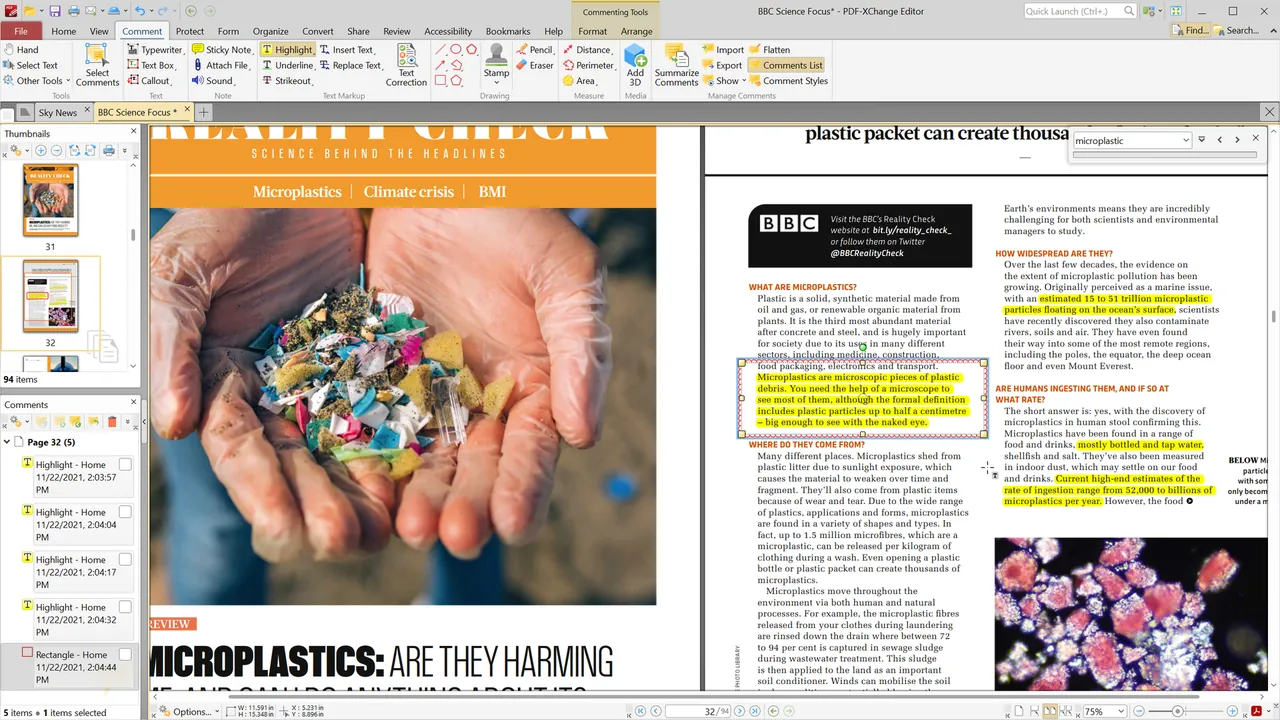
Our verdict: PDF-XChange Editor is one of the most capable free PDF tools for Windows, with fast rendering and a large set of comment and markup tools. About 70% of its features are free with no time limit. The rest are licensed features that stamp a watermark on your document if you use them without a key, so turn on the option that hides them.
About PDF-XChange Editor
PDF-XChange Editor is made by PDF-XChange Co Ltd, formerly Tracker Software. The free version is the same installation as the paid one; the only difference is that licensed features place watermarks on output when they are used without a license key. It is free for private and commercial use.
The editor views, annotates, edits, OCRs and digitally signs PDF files. In free mode, licensed tools are marked with a symbol in the menus, and you can hide them completely. Editor Plus is a higher license that adds fillable form creation, an enhanced OCR engine, dynamic stamps and document comparison.
What it does well
- Comments and markup. Highlights, notes, shapes, stamps, measurements and text boxes.
- OCR. Recognizes text in scanned pages to make them searchable.
- Form filling and signing. Fills PDF forms and adds digital signatures.
- Hide licensed features. An option under Help → License Key removes paid tools from menus.
- PDF-XChange Printer Lite. A virtual printer for creating PDFs is included.
Who it is for
Good fit
Windows users who annotate, review and fill many PDFs and want speed.
Look elsewhere
People who will not check which tools are licensed, since watermarks cannot be removed without a key.
Pros and cons
Pros
- Large set of free annotation tools
- Fast on large PDFs
- Free for commercial use
- One-time license if you need more
Cons
- About 30% of features add watermarks without a license
- Watermarks cannot be removed without a license key
- Windows only
How to install PDF-XChange Editor
The direct link downloads the 64-bit MSI installer from PDF-XChange; the installer is the same for free and paid users. After installation, open Help → License Key and turn on Hide all licensed features from toolbars and menus. If you experiment with licensed tools, work on a copy of the document.
Questions about PDF-XChange Editor
Is PDF-XChange Editor free?
Yes, with limits. The free version has no time limit and is free for private and commercial use, but licensed features add watermarks to documents when used without a key.
How do I avoid PDF-XChange watermarks?
Open Help → License Key and select Hide all licensed features from toolbars and menus, so you only see free tools.
Does PDF-XChange Editor need a subscription?
No. Paid licenses are perpetual and include one year of maintenance for updates.


