

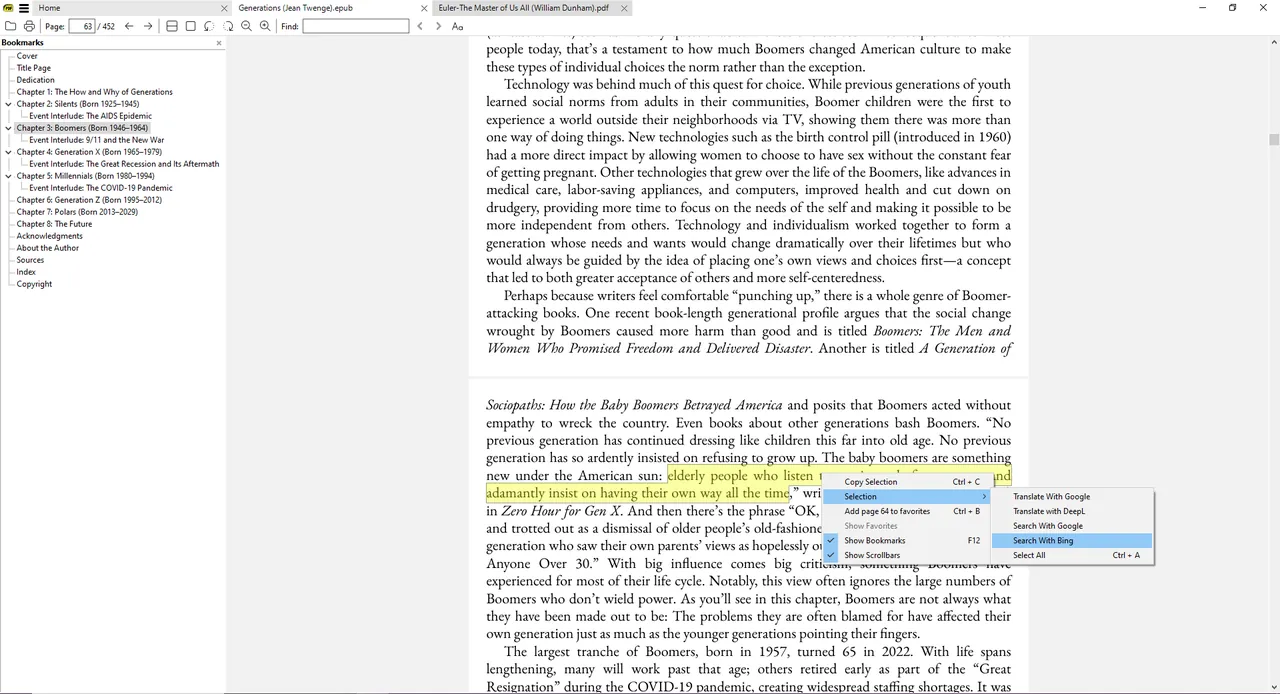
Our verdict: Sumatra PDF is the fastest way to read PDFs and e-books on Windows. It opens files instantly, supports EPUB, MOBI, comic archives and DjVu, and stays out of your way. It is a reader, with only basic annotations and no form editing.
About Sumatra PDF
Sumatra PDF is developed by Krzysztof Kowalczyk and is open source. It is deliberately minimal: a small program with a clean window and keyboard shortcuts for everything.
It reads PDF, EPUB, MOBI, CBZ, CBR, DjVu, XPS, CHM and common image formats, which makes it a good single reader for documents, books and comics.
What it does well
- Opens files instantly. Starts and renders pages quickly even on older PCs.
- Many formats. PDF, EPUB, MOBI, CBZ, CBR, DjVu, XPS and CHM.
- Portable version. Runs from a folder or USB stick without installing.
- Keyboard-friendly. Shortcuts for navigation, zoom and view modes.
- Basic annotations. Highlight and add simple notes to PDFs.
Who it is for
Good fit
Reading PDFs, e-books and comics quickly.
Look elsewhere
Editing PDF text, filling complex forms or signing documents.
Pros and cons
Pros
- Extremely fast
- Supports e-books and comics
- Portable version
- No ads
Cons
- Windows only
- Not a PDF editor
- Annotations are basic
How to install Sumatra PDF
The download page offers an installer and a portable version, each in 64-bit and 32-bit. The installer can make Sumatra your default PDF reader.
Questions about Sumatra PDF
Is Sumatra PDF free?
Yes. It is open source and free for all uses.
Can Sumatra PDF edit PDFs?
No. It can add basic highlights and notes but cannot edit text or pages.
Can Sumatra PDF read EPUB books?
Yes. It also reads MOBI, comic archives (CBZ, CBR) and DjVu.


_6_Windows_10.png)