

Our verdict: Screenpresso is a capable screenshot tool with a capture history and quick annotation, and the free version may be used at work. Video capture works too, but free recordings and shared files carry Screenpresso branding. It now requires Windows 11.
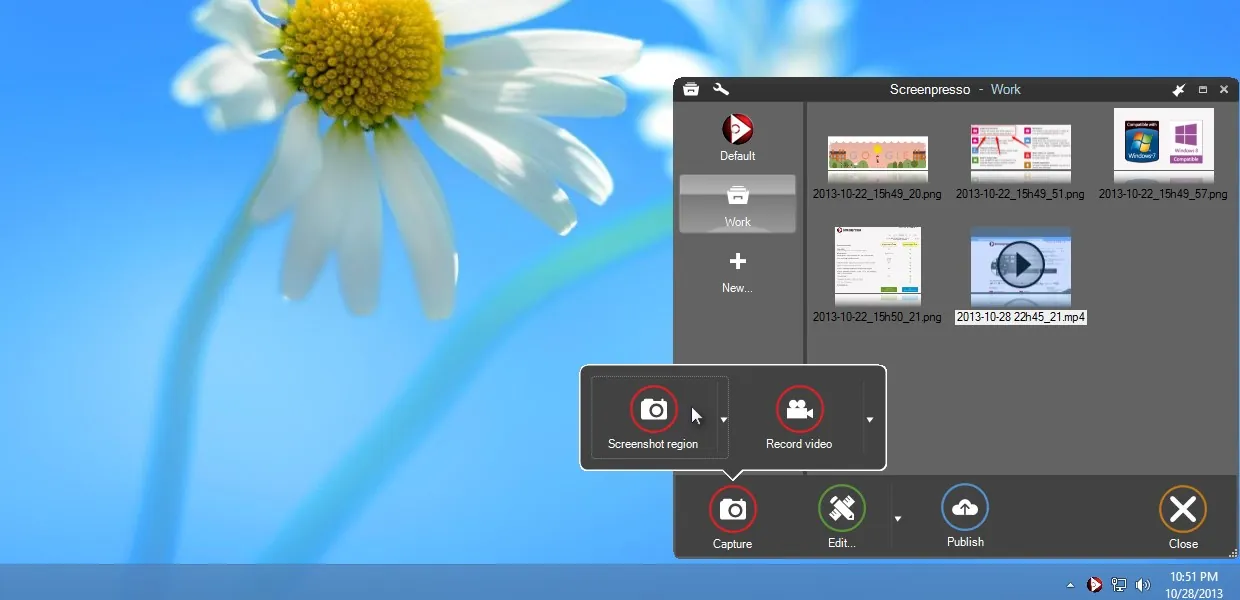
About Screenpresso
Screenpresso is developed by Learnpulse, a French company in Toulouse. It sits in the tray, captures a region, window or full screen with a hotkey, and keeps every capture in a workspace panel where you can drag images into emails and documents.
The free version includes image capture, HD video capture with branding, a limited image editor and sharing features with branding, and updates are mandatory. The one-time Pro licence adds 4K video with system sound, OCR, automatic subtitles, the full editor with blur and effects, video trimming, a document generator and Android capture.
What it does well
- Capture history. Keeps all screenshots and videos in a workspace for quick reuse.
- Annotation editor. Adds arrows, boxes, text and numbered steps to screenshots.
- HD video capture. Records the screen to video; free recordings include branding.
- Scrolling capture. Captures long web pages and windows beyond the visible area.
- Free at work. The free version may be used in a company without limitation.
Who it is for
Good fit
Office workers and writers of documentation who take many annotated screenshots.
Look elsewhere
Windows 10 users and anyone who needs clean screen recordings without branding for free.
Pros and cons
Pros
- Fast capture with a reusable history
- Annotation tools for documentation
- Free for commercial use
Cons
- Free video recordings and sharing include Screenpresso branding
- Requires Windows 11; Windows 10 is no longer supported
- OCR, blur, 4K and system sound recording need Pro
How to install Screenpresso
Download the standard installer from screenpresso.com; it needs .NET Framework 4.8 and Windows 11. On first launch, pick the capture hotkey (Print Screen by default) and the folder for the workspace. Updates are mandatory in the free version.
Questions about Screenpresso
Is Screenpresso free?
Yes. The free version can be used at home and at work. Pro is a one-time purchase that removes branding and adds features.
Does Screenpresso add a watermark?
Free video capture and sharing features include Screenpresso branding. Screenshots themselves are not branded.
Does Screenpresso work on Windows 10?
No. The official system requirements list Windows 11 or Windows Server 2022.


