

Our verdict: Snipaste is built around one idea done well: press F1 to snip, F3 to pin the result as a floating window you can zoom, rotate or make translucent. It is ideal for keeping a reference on screen while you work. Business users of version 2 need a paid license, and OCR is a Pro feature.
About Snipaste
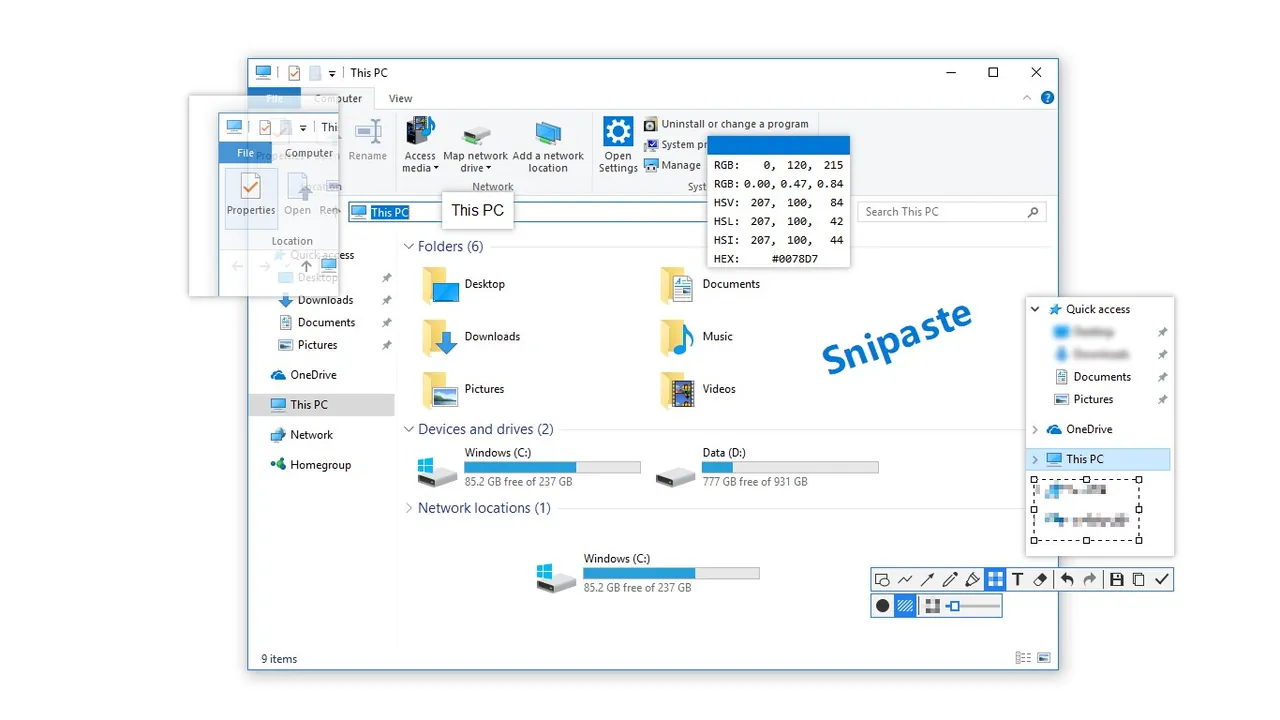
Snipaste is a snipping tool that detects windows and UI elements automatically, gives pixel-level control over the selection and includes a color picker. After snipping you can annotate with rectangles, ellipses, lines, arrows, pencil, marker, text, mosaic and Gaussian blur, with undo and redo.
Its main feature is pasting: an image, plain or HTML text, a color value or an image file from the clipboard becomes a topmost floating window. Such windows can be zoomed, rotated, flipped, made translucent or click-through, grouped and restored after a restart. Snipaste is always free for personal use. Starting with version 2.0, business use requires a paid license, and some features such as text extraction (OCR) are reserved for Snipaste Pro.
What it does well
- Smart snipping. Detects windows and UI elements, with pixel-level adjustment and multi-monitor support.
- Pin to screen. Turns screenshots, text or colors into floating windows that stay on top.
- Floating window controls. Zoom, rotate, flip, translucency and mouse click-through.
- Annotation. Shapes, arrows, pencil, marker, text, mosaic and blur with undo and redo.
- Snip history. Steps back through previous snips with the comma and period keys.
Who it is for
Good fit
Designers, developers and students who keep reference images or notes floating on screen.
Look elsewhere
Business users who do not want to buy a license, and anyone who needs screen recording.
Pros and cons
Pros
- Excellent pin-to-screen feature
- Portable, no installation
- Accurate UI element detection
- Free for personal use
Cons
- Business use of version 2 requires a paid license
- OCR and some options only in Snipaste Pro
- No screen recording
How to install Snipaste
The button downloads the official 64-bit portable ZIP. Extract it to a folder you keep, such as Documents, and run Snipaste.exe; there is no installer. Turn on Start with Windows in Preferences if you want the hotkeys available after every restart.
Questions about Snipaste
Is Snipaste free?
Yes for personal use. From version 2.0, business use requires a paid license, and some features such as OCR are part of Snipaste Pro. Snipaste 1.x remains free for business use.
What are the default Snipaste hotkeys?
Press F1 to start snipping and F3 to paste the clipboard as a floating window. Both can be changed in Preferences.
Does Snipaste need installation?
No. On Windows it is a portable app in a ZIP archive. A Microsoft Store version is also offered.


