

Our verdict: DB Browser for SQLite is the easiest free way to open a .db or .sqlite file and look inside. You can browse and edit rows like a spreadsheet, change tables without writing SQL, and run queries when you need them. It handles only SQLite, and very large databases can make it slow.
About DB Browser for SQLite
DB Browser for SQLite (DB4S) is a desktop app for creating, designing and editing database files compatible with SQLite. It is developed by volunteers and dual-licensed under the Mozilla Public License 2.0 and the GNU GPL v3 or later. It is aimed at both developers and people who do not know SQL.
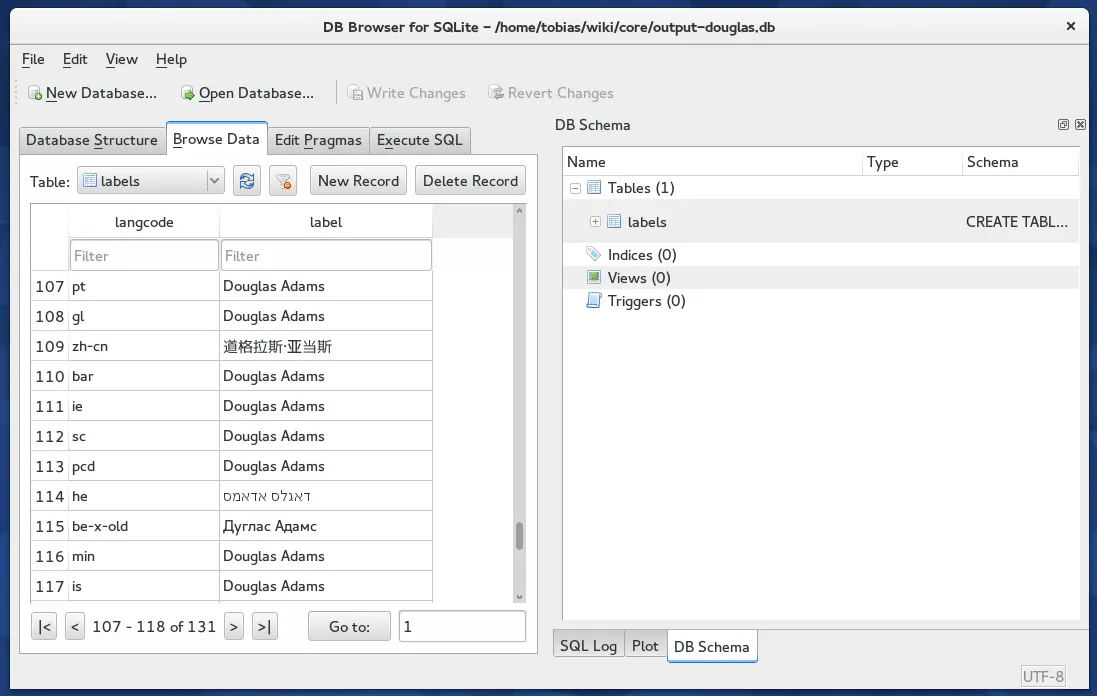
Tabs let you view the structure of the database, browse and filter table data, edit pragmas and run SQL statements. You can create and modify tables and indexes through dialogs, import and export CSV and SQL dumps, and plot query results. The installer also includes a SQLCipher build for opening encrypted databases.
What it does well
- Browse and edit data. View tables in a grid, filter and sort rows, and edit values directly.
- Visual table designer. Create and change tables, columns and indexes without writing SQL.
- SQL editor. Run queries with syntax highlighting and see results and errors.
- Import and export. Load and save CSV files and SQL dumps, and export to JSON.
- Encrypted databases. Opens and creates SQLCipher-encrypted database files.
Who it is for
Good fit
Developers and curious users who need to inspect or edit SQLite files, such as app or browser databases.
Look elsewhere
Anyone working with MySQL, PostgreSQL or other server databases, or with very large SQLite files.
Pros and cons
Pros
- Free and open source
- Easy for people who do not know SQL
- Supports SQLCipher encrypted databases
- Portable and installer versions
Cons
- SQLite only
- Can be slow with very large tables
- Edits are not saved until you click Write Changes, which can surprise new users
How to install DB Browser for SQLite
Download the 64-bit MSI; ZIP and portable builds are also listed on the download page. During setup you can choose to create shortcuts for both the standard and the SQLCipher versions. Close other apps that use a database file before editing it, and click Write Changes to save edits.
Questions about DB Browser for SQLite
Is DB Browser for SQLite free?
Yes. It is free and open source under the MPL 2.0 and GPL v3, with no paid edition.
Can DB Browser for SQLite open encrypted databases?
Yes, databases encrypted with SQLCipher, using the SQLCipher version installed with the app.
Is DB Browser for SQLite the same as SQLite Browser?
Yes. The project was previously called SQLite Database Browser and was renamed to avoid confusion with SQLite itself.


