

Our verdict: Subtitle Edit is the most complete free tool for fixing and creating subtitles. It syncs lines on an audio waveform, converts between formats, runs OCR on image-based subtitles and can generate subtitles from speech. The number of tools can feel overwhelming at first.
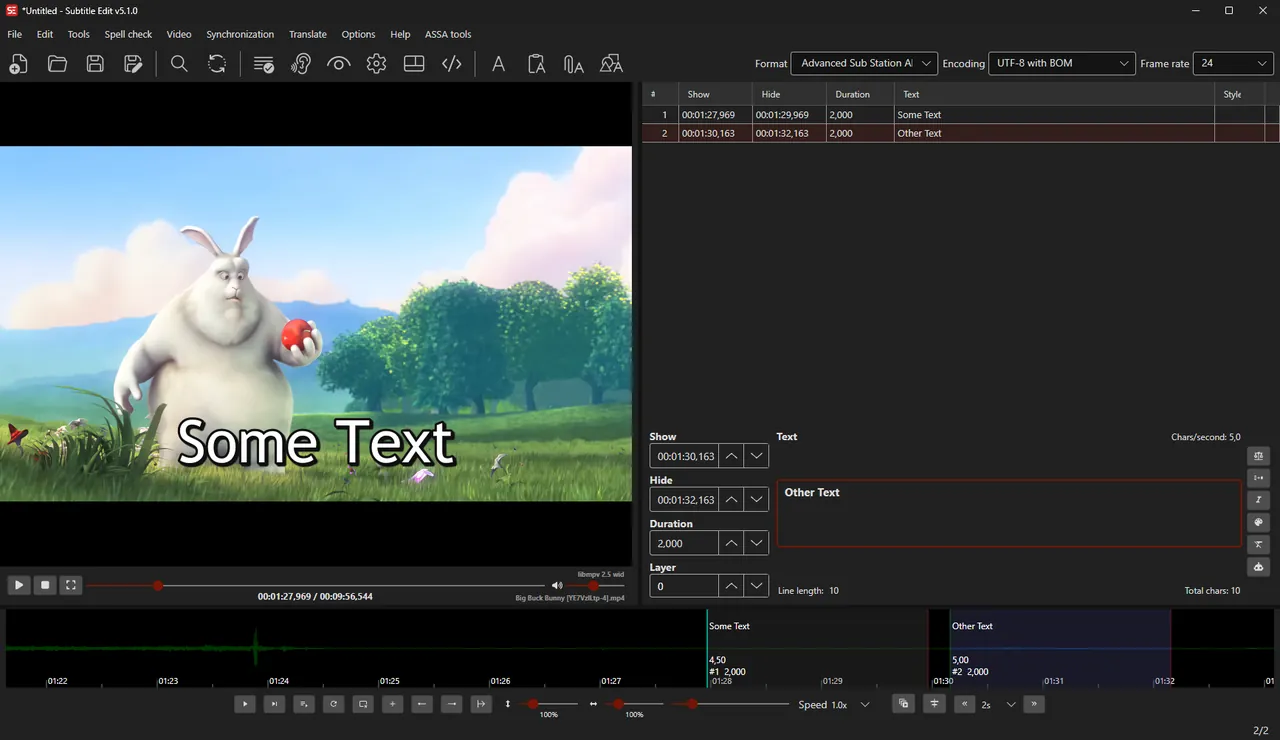
About Subtitle Edit
Subtitle Edit is developed by Nikolaj Olsson and released under the MIT License. Version 5 is a rewrite that runs on Windows, macOS and Linux; the Windows build needs Windows 10 22H2 or newer.
You open a video and a subtitle file side by side, adjust timing on the waveform or spectrogram, and fix errors with spell check and the Fix common errors tool. It converts between SRT, ASS, WebVTT and many other formats. Optional online services handle machine translation, speech-to-text and text-to-speech; only the data needed for each request is sent to the chosen provider.
What it does well
- Waveform syncing. Set start and end times visually on the audio waveform or spectrogram.
- Format conversion. Converts between SRT, ASS, SSA, WebVTT, SUB and hundreds of other formats.
- OCR. Turns image subtitles from Blu-ray and DVD into editable text.
- Speech-to-text. Generates subtitles from the audio track with Whisper models.
- Fix common errors. Repairs overlapping times, line lengths, missing spaces and more in one step.
Who it is for
Good fit
Fansubbers, video editors and anyone who needs to fix out-of-sync or broken subtitles.
Look elsewhere
People who need advanced typesetting and karaoke effects for ASS subtitles.
Pros and cons
Pros
- Supports a huge number of formats
- Waveform and spectrogram syncing
- OCR and speech-to-text
- No ads, fully offline core
Cons
- Very many menus and options
- Speech-to-text needs a large extra model download
- Requires Windows 10 22H2 or newer
How to install Subtitle Edit
Download the Windows x64 setup from the latest GitHub release and run it; a portable ZIP is also available. Speech-to-text downloads its Whisper model the first time you use it, so expect an extra download. Online translation and speech services are optional and off until you choose them.
Questions about Subtitle Edit
Is Subtitle Edit free?
Yes. Subtitle Edit is open source under the MIT License with no paid version.
Can Subtitle Edit fix subtitles that are out of sync?
Yes. You can shift all lines, change speed between frame rates or sync points against the audio waveform.
Can Subtitle Edit create subtitles automatically?
Yes. It can generate subtitles from the audio track with Whisper speech-to-text models, which you download on first use.


