

Our verdict: Super Productivity combines a to-do list, time tracker and focus timer in one free app that keeps your data on your own device. It is especially good for developers and freelancers; the many options take some time to learn.
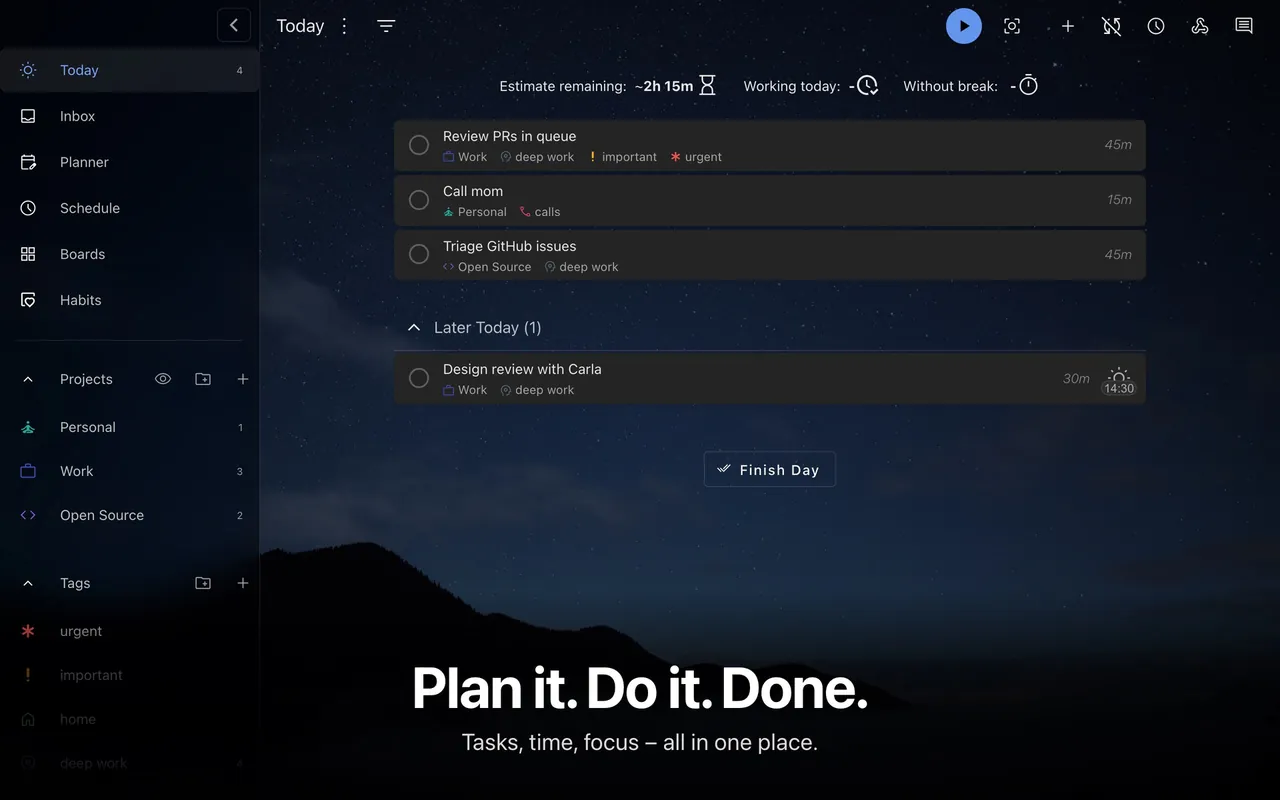
About Super Productivity
Super Productivity is an open-source task manager released under the MIT license. It works offline without an account, and tasks stay on your device unless you turn on sync through Super Sync, WebDAV or Dropbox. Apps exist for Windows, macOS, Linux, Android and iOS, and there is a web version.
Tasks can have subtasks, notes, tags, estimates and repeat rules, and you can organize them as lists, Kanban boards or an Eisenhower matrix. Starting a task tracks the time you spend, which feeds timesheets and reports. Focus mode, a Pomodoro timer and break reminders help with deep work, and integrations pull issues from GitHub, GitLab and Jira into your daily plan.
What it does well
- Built-in time tracking. Track time per task and turn it into timesheets and reports.
- Focus mode and Pomodoro. Work in timed sessions with configurable breaks.
- Lists, boards and matrix. Organize tasks as lists, Kanban boards or an Eisenhower matrix.
- Issue integrations. Import issues from GitHub, GitLab and Jira.
- Private by default. Works offline without an account; optional sync via Super Sync, WebDAV or Dropbox.
Who it is for
Good fit
Developers, freelancers and students who want tasks, time tracking and focus tools in one private app.
Look elsewhere
Teams that need shared projects and task assignment.
Pros and cons
Pros
- Free and open source
- Works offline without an account
- Time tracking and Pomodoro built in
- GitHub, GitLab and Jira integration
Cons
- Many settings make the first steps confusing
- No team collaboration features
How to install Super Productivity
The download button fetches the latest Windows installer from the official GitHub releases; the app is also in the Microsoft Store. No account is required. To use it on several devices, set up WebDAV, Dropbox or Super Sync under Settings > Sync.
Questions about Super Productivity
Is Super Productivity free?
Yes. It is free and open source under the MIT license.
Do I need an account?
No. Super Productivity works offline and stores data locally; sync is optional.
Can Super Productivity sync between devices?
Yes, through Super Sync, WebDAV or Dropbox, which you configure yourself.


