

Our verdict: KeePass is the original offline password manager and still one of the most flexible on Windows. Everything is stored in one encrypted file you control, and plugins add almost any missing feature. The interface looks dated, and browser autofill needs a plugin.
About KeePass
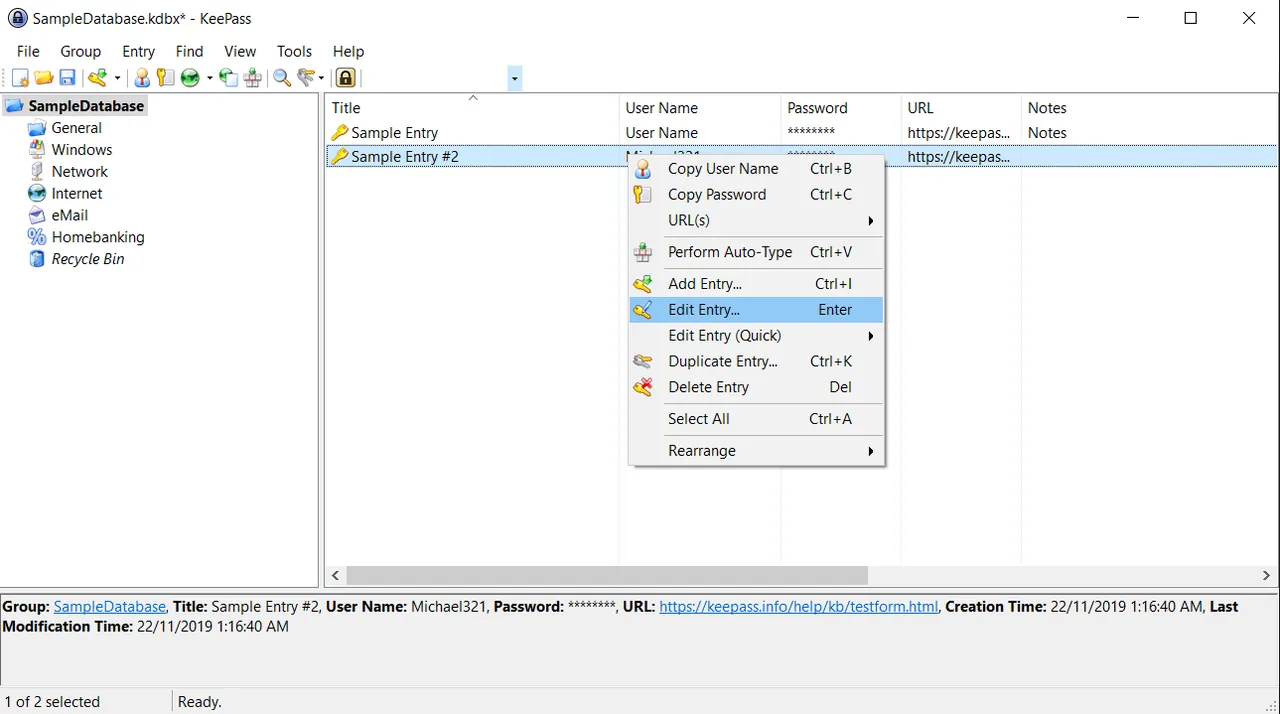
KeePass is developed by Dominik Reichl and has been around since 2003. KeePass 2.x stores all entries in a single encrypted KDBX database protected by a master password, a key file, your Windows user account or a combination of them. The whole database is encrypted, not just the password fields.
Instead of browser extensions, KeePass relies on Auto-Type: a global hotkey finds the matching entry and types the user name and password into the active window. KeePass imports more than 35 formats, and a plugin system adds features such as browser integration, sync and extra key providers. Ports for Android and iOS exist from other developers.
What it does well
- Encrypted database. AES-256 or ChaCha20 encryption with Argon2 or AES-KDF key derivation.
- Multiple key sources. Unlock with a master password, key file, Windows user account or a combination.
- Auto-Type. A global hotkey types logins into any window or web form.
- Secure clipboard and desktop. Clears copied passwords after a delay and can ask for the master key on a secure desktop.
- Plugins. Extensions add import formats, browser integration, sync and hardware keys.
Who it is for
Good fit
Windows users who want full control over an offline vault and like to extend it with plugins.
Look elsewhere
People who expect polished browser autofill and phone apps from the same developer.
Pros and cons
Pros
- No account or cloud needed
- Strong encryption and key file support
- Large plugin library
- Portable version available
Cons
- Interface looks dated
- Browser autofill needs a third-party plugin
- No official mobile apps
How to install KeePass
Choose the KeePass 2.x installer on the download page; it is hosted on SourceForge, the project's official download host. A portable ZIP is also offered. Create a new database, set a strong master password and keep a backup copy of the .kdbx file.
Questions about KeePass
Is KeePass free?
Yes. KeePass is open source under the GNU GPL and free for any use.
Should I choose KeePass 1.x or 2.x?
KeePass 2.x. It is actively developed and has more features, while 1.x only receives maintenance.
What is the difference between KeePass and KeePassXC?
Both use the KDBX format. KeePass is the original Windows app with a plugin system; KeePassXC is a separate cross-platform app with browser integration built in.


