

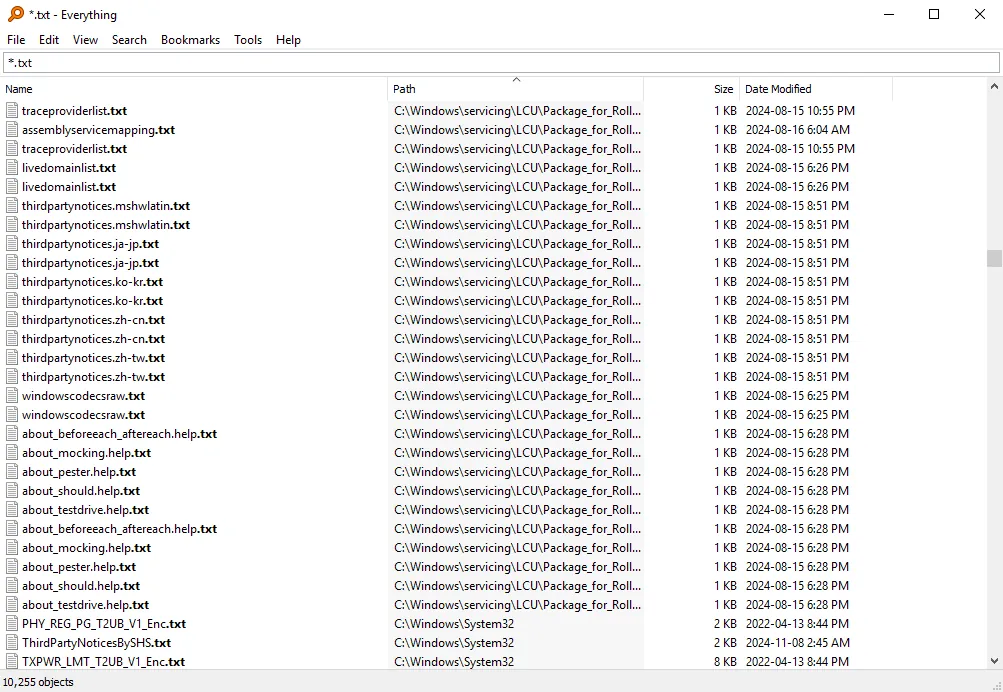
Our verdict: Everything finds any file on your PC by name as fast as you can type. It is tiny, free and far quicker than Windows Search for file names. It does not search inside documents by default, so think of it as a perfect file finder, not a full-text search engine.
About Everything
Everything is made by voidtools. On NTFS drives it reads the file system's own index to build its list in seconds, then keeps it up to date as files change.
Results update with each key you press. You can filter by type, path, size and date, and the search syntax supports wildcards and regular expressions.
What it does well
- Instant results. Finds files and folders by name while you type.
- Light on resources. Uses little memory and almost no CPU after indexing.
- Advanced filters. Search by extension, size, date, path and with regular expressions.
- Bookmarks and filters. Save searches you use often.
- Network access. Built-in HTTP and ETP servers let you search a PC from another device.
Who it is for
Good fit
Anyone with many files who knows part of a file name.
Look elsewhere
Searching text inside documents across the whole disk.
Pros and cons
Pros
- Practically instant
- Very small and light
- Powerful search syntax
- Portable version available
Cons
- Searches names, not contents, by default
- Windows only
- Non-NTFS drives index more slowly
How to install Everything
The download button gets the 64-bit installer. Portable versions are listed on the official downloads page. During setup, the Everything service option lets it index drives without running as administrator each time.
Questions about Everything
Is Everything free?
Yes. It is free for personal and commercial use.
Can Everything search inside files?
It can with the content: search function, but this is much slower and is not indexed by default.
Is Everything better than Windows Search?
For finding files by name, yes: it is much faster. Windows Search is still useful for searching document contents and email.


_screenshot.png)