

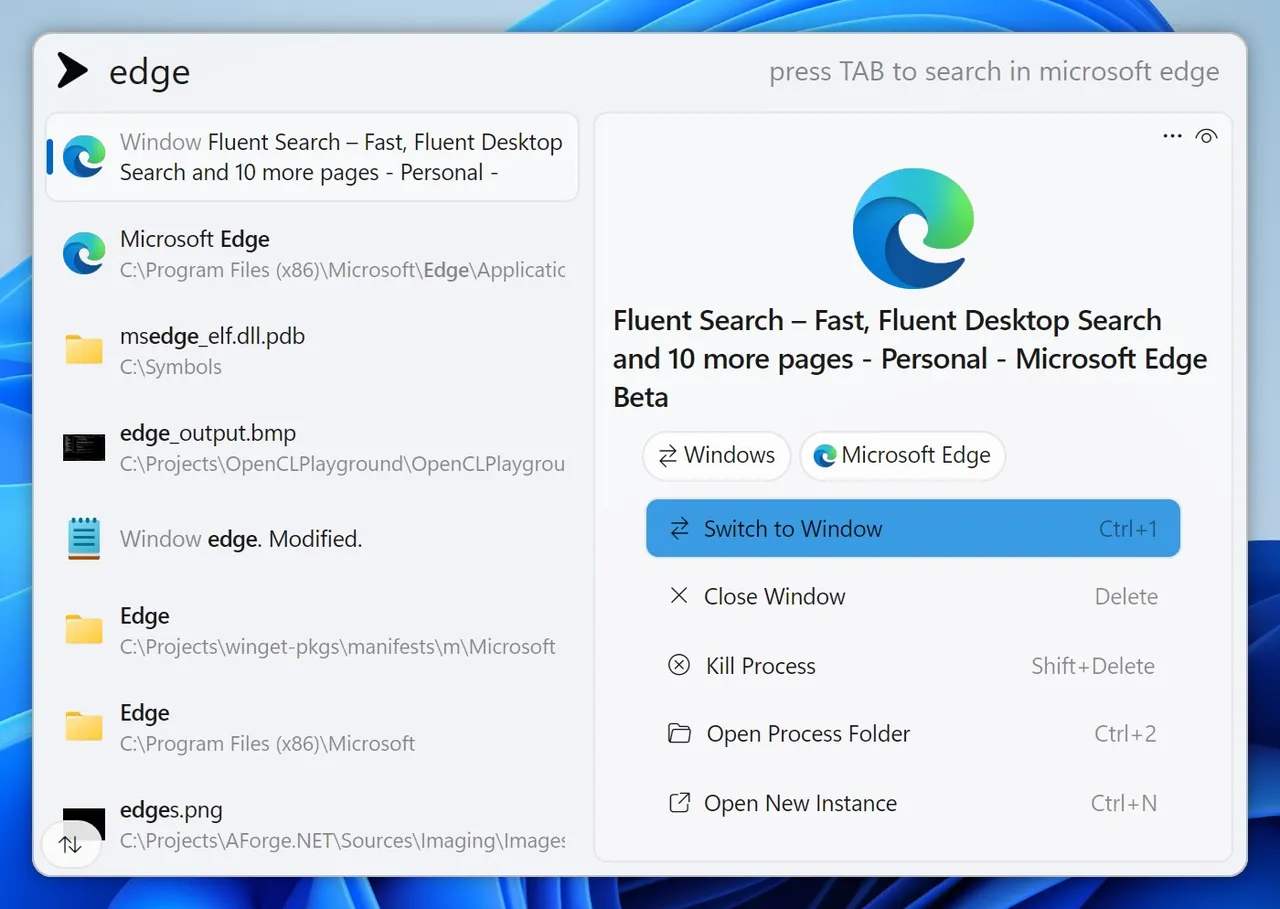
Our verdict: Fluent Search goes further than most launchers: besides apps and files it finds browser tabs, open windows and items inside apps. Its own indexer and Screen Search for keyboard-only clicking make it a power-user tool. All those options mean the settings take some time to learn.
About Fluent Search
Fluent Search is a free search and launch tool for Windows 10 and 11, developed by Adir Hudayfi and supported by donations. Press the hotkey and type to find apps, files, browser tabs and history, running processes and open windows in one list. Search tags narrow results to one kind of item.
It includes a native file indexer designed to keep CPU use low, and Screen Search, which labels clickable elements on screen so you can click them with the keyboard. Plugins from the community add more sources. The app is closed source; bugs and feature requests go to its public GitHub issue tracker.
What it does well
- Unified search. Finds apps, files, browser tabs, history, processes and open windows in one box.
- Native file indexer. Indexes your drives itself and keeps results instant as you type.
- Screen Search. Labels buttons and links on screen so you can click them using only the keyboard.
- Search tags. Filter results to files, tabs, windows or other sources with short tags.
- Plugins. Extend search with community plugins written in C#.
Who it is for
Good fit
Keyboard-heavy users who want one search box for apps, files, tabs and windows.
Look elsewhere
People who want a minimal launcher with few settings.
Pros and cons
Pros
- Searches tabs, windows and in-app content
- Own fast file indexer
- Keyboard-only Screen Search
- Free with automatic updates
Cons
- Closed source
- Windows only
- Large number of settings can feel overwhelming
How to install Fluent Search
The button downloads the official x64 installer, which gets automatic updates. An APPX package, a portable ZIP and ARM64 builds are on the same page, and it is also in the Microsoft Store and winget. After installing, open the settings to change the hotkey and the file indexer options.
Questions about Fluent Search
Is Fluent Search free?
Yes. Fluent Search is free to download and use; the developer accepts optional donations.
Does Fluent Search work on ARM?
Yes. There are native ARM64 builds, though the developer notes the ARM64 installer is newer and less tested.
Is Fluent Search open source?
No. The GitHub repository is only for bug reports and feature requests; the app itself is closed source.


