

Our verdict: Listary is a fast keyboard launcher that also fixes one of Windows' daily annoyances: browsing to the right folder in Open and Save dialogs. The free version covers personal use well. Commercial use, a dark theme and network drive indexing require Listary Pro.
About Listary
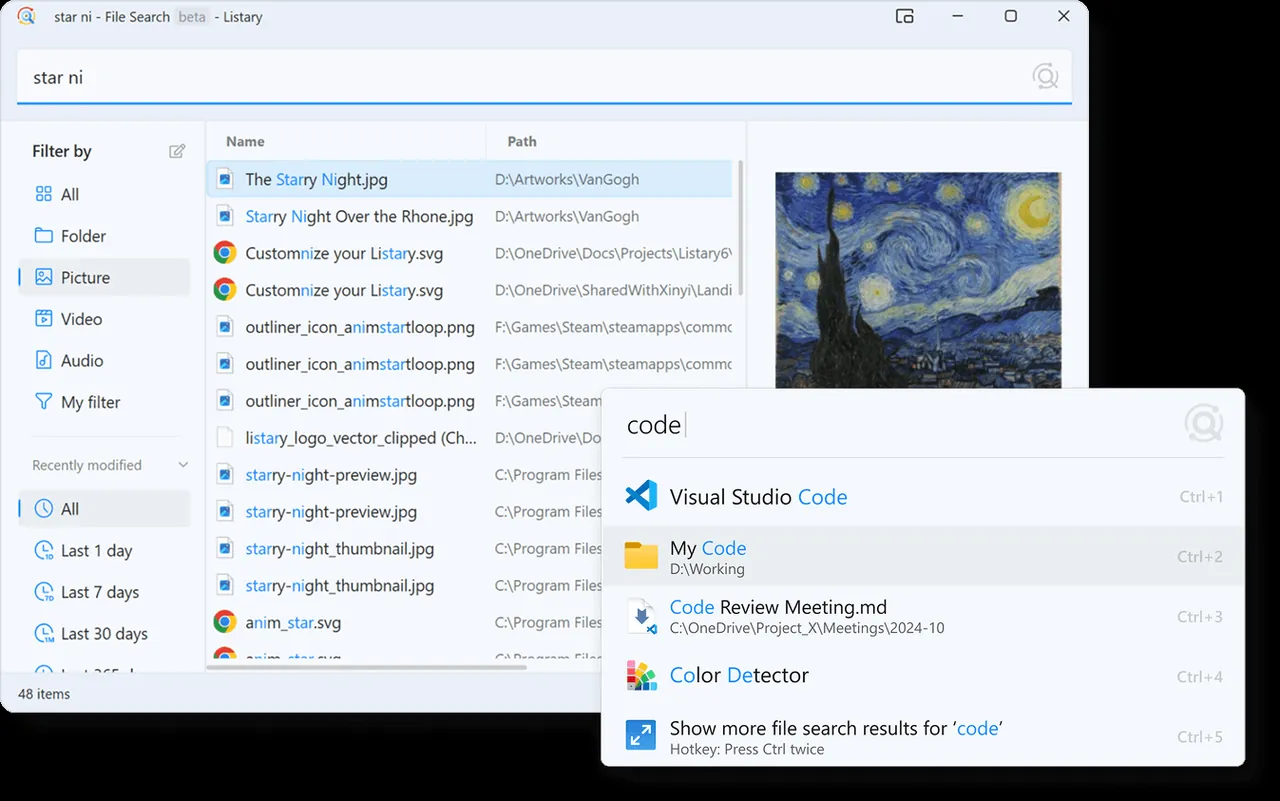
Listary indexes your drives and shows results as you type, ordered by how often you use them, with fuzzy matching for abbreviations. The same search bar launches apps and runs system commands, and actions such as copy path work directly on the results.
Quick Switch is its best-known feature: in any Open or Save dialog you can type a folder name and jump straight to it. A separate File Search window adds filters by file type and date. The free plan is for personal use only; Listary Pro adds a commercial license, dark theme, custom filters and actions, and indexing of shared network drives.
What it does well
- Instant file search. Searches the whole drive as you type, ranked by your habits.
- App launcher. Launch apps and run system commands from the same bar.
- Quick Switch. Jump to any folder inside Open and Save dialogs.
- Filters. Narrow results by file type, date and more.
- Actions. Copy, copy path and other actions straight from results.
Who it is for
Good fit
Keyboard-focused users who open many files and folders and want a faster Start search.
Look elsewhere
Business users who will not buy Pro, and people who need full-text search inside documents.
Pros and cons
Pros
- Very fast search with fuzzy matching
- Quick Switch for Open/Save dialogs
- Launcher and file search in one
- Free for personal use
Cons
- Commercial use requires Listary Pro
- Dark theme, custom filters and network drives are Pro-only
- Closed source
How to install Listary
Run the installer and check the search hotkey in Listary's options before you rely on it. Listary 7 is offered as a beta on the same page; the main download button gets the stable version 6.
Questions about Listary
Is Listary free?
Yes, for personal use. Using it for work in a for-profit company requires a Listary Pro license.
What does Listary Pro add?
A commercial use license, dark theme, custom filters and actions, advanced search syntax and indexing of shared network drives.
Does Listary search inside files?
No. It searches file and folder names; the developer offers a separate app, Gety, for full-text search.


