

Our verdict: Wox is a fast, keyboard-first launcher in the spirit of Alfred and Raycast, and it runs on Windows, macOS and Linux with the same plugins. The plugin and theme stores make it easy to extend. It uses more memory than a tiny launcher, around 150 MB in everyday use by the developers' own figure.
About Wox
Wox is an open-source launcher: press the hotkey, type a few letters and open an app, a file, a folder or a web search without touching the mouse. Results come with actions, such as opening the containing folder or copying the path. Version 2 is a native rewrite with GPU rendering on every platform, not an Electron app.
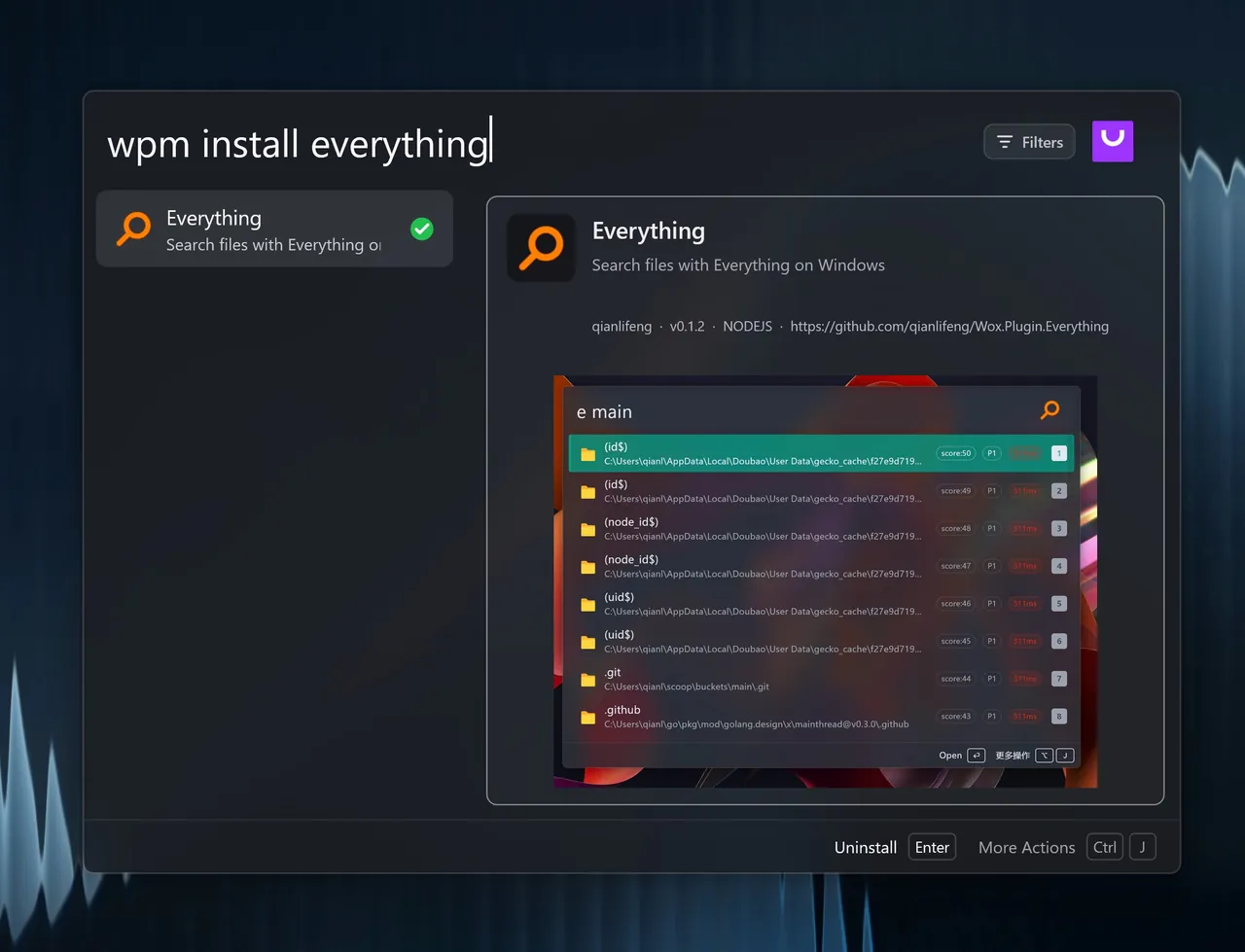
Built-in plugins cover apps, files, a calculator, clipboard history, web searches and more. Extra plugins written in Node.js, Python or as scripts, and themes, are installed from the official store at woxlauncher.com or with the wpm command inside Wox. The developers state that everyday memory use typically stays around 150 MB.
What it does well
- App and file search. Launch programs and open files and folders by typing part of their name.
- Result actions. Open, open the containing folder, copy the path and other actions from the action panel.
- Plugin store. Install plugins written in Node.js, Python or scripts with the built-in wpm command.
- Themes. Change the look with themes from the official theme store.
- Cross-platform. The same launcher and plugins run on Windows, macOS and Linux.
Who it is for
Good fit
Keyboard users who want one launcher for apps, files and quick commands, possibly on several operating systems.
Look elsewhere
Very old or low-memory PCs where every background megabyte counts.
Pros and cons
Pros
- Free and open source
- Native app with GPU rendering
- Plugin and theme stores
- Works on Windows, macOS and Linux
Cons
- Uses around 150 MB of memory in the background
- Many extras depend on third-party plugins
- Windows build is a single EXE without a classic installer
How to install Wox
The button downloads the Windows x64 executable from GitHub; it runs directly without a separate installer. Wox is also available through winget, Scoop and Chocolatey. After the first start, set the launch hotkey in settings and enable autostart if you want it to run at logon.
Questions about Wox
Is Wox free?
Yes. Wox is free and open source under the GNU GPL v3.
How do I install Wox plugins?
Type wpm install followed by the plugin name in Wox, or browse the plugin store on woxlauncher.com.
Is Wox the same as Flow Launcher?
No. Flow Launcher started as a fork of the original Wox, and Wox 2 is a separate native rewrite by the Wox project.


