

Our verdict: Geany sits between a text editor and a full IDE. It starts in a second, highlights many languages, lists functions in a sidebar and compiles or runs your code with one key. It does not include compilers or a debugger, and its interface looks dated on Windows.
About Geany
Geany has been developed since 2005 by a volunteer team and is released under the GNU GPL v2 or later. It uses the GTK toolkit and the Scintilla editing component, and the Windows installer bundles the GTK runtime it needs.
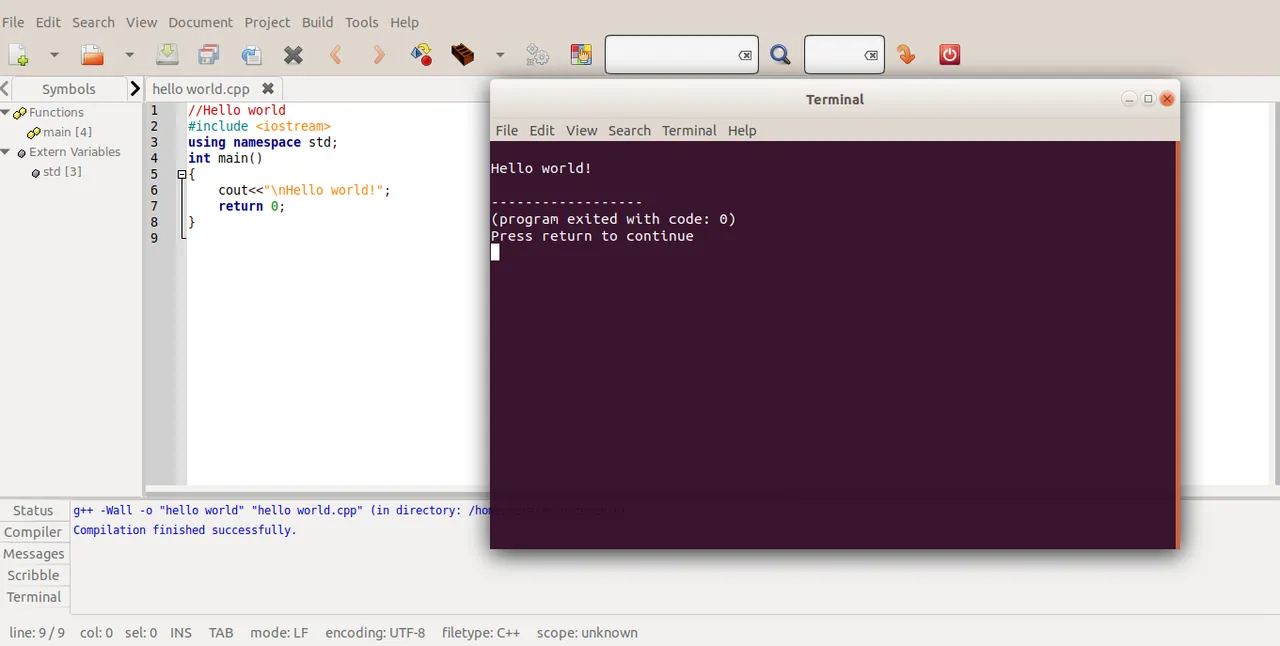
It opens files in tabs, shows a symbol list of functions and classes, and runs configurable compile, build and execute commands. You install compilers such as GCC or Python yourself. A separate geany-plugins installer adds tools such as a Git change bar, a file browser and spell checking.
What it does well
- Syntax highlighting. Supports C, C++, Python, PHP, HTML, Java, Rust and dozens of other languages.
- Symbol list. A sidebar lists functions, classes and variables of the current file.
- Build commands. Compile, build and run with F8, F9 and F5 using your installed tools.
- Auto-completion. Completes symbols, words and HTML or XML tags.
- Plugins. The geany-plugins package adds Git, debugging, spell check and more.
Who it is for
Good fit
Students and developers who want a quick, simple editor that can compile and run small programs.
Look elsewhere
Large projects that need refactoring, deep debugging or framework-specific tooling.
Pros and cons
Pros
- Starts very quickly
- Simple build and run commands
- Works with many languages
- Small download
Cons
- No compilers or debugger included
- Interface looks dated on Windows
- Limited project management
How to install Geany
The download button gets the signed Geany installer for Windows. Install the matching geany-plugins installer from the same page if you want extra tools. Install a compiler such as GCC or Python separately so the Build menu works.
Questions about Geany
Is Geany free?
Yes. Geany is open source under the GNU GPL v2 or later.
Does Geany include a compiler?
No. Geany calls tools you install yourself, such as GCC, Python or Java.
Where are Geany plugins?
On the same download page there is a separate geany-plugins installer for Windows.


