

Our verdict: Kate is a capable code editor that does not need extensions to be useful. Language servers, Git, a project view and split windows are built in. On Windows the stable version comes only from the Microsoft Store, and it looks and feels like a KDE app.
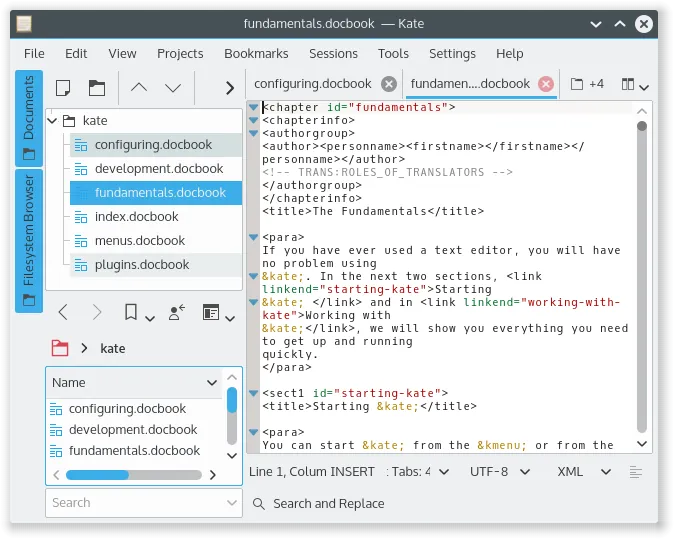
About Kate
Kate (KDE Advanced Text Editor) is developed by the KDE community and licensed under the GNU LGPL v2.1 or later. It shares its editing component with other KDE apps and has been around for more than 20 years.
Kate opens many files in tabs and split views, and its project plugin picks up Git repositories automatically. Built-in plugins add a language server client, a terminal panel, a build tool, search across files and a Git view. Kate can also restore sessions with all open files.
What it does well
- Language server client. Completion, diagnostics and go-to-definition for C++, Python, Rust and other languages.
- Split views and tabs. Edit several files side by side in one window.
- Projects and Git. Detects Git repositories, shows changes and lets you stage and commit.
- Search and replace. Searches open files, a folder or a whole project with regular expressions.
- Sessions. Saves and restores sets of open files and window layouts.
Who it is for
Good fit
Developers who want a full-featured editor without assembling extensions, especially if they also use Linux.
Look elsewhere
People who need a standalone Windows installer from KDE or a large extension marketplace.
Pros and cons
Pros
- Language servers and Git built in
- Fast even with large files
- Split views and sessions
- No account needed
Cons
- Stable Windows version only through the Microsoft Store
- KDE look feels unusual on Windows
- Much smaller plugin choice than VS Code
How to install Kate
The stable Windows version is published by KDE in the Microsoft Store; the button opens the official get-it page that links to it. The installer packages on cdn.kde.org are nightly builds, not stable releases. Enable plugins such as LSP Client and Terminal in Settings → Configure Kate → Plugins.
Questions about Kate
Is Kate free?
Yes. Kate is open source under the GNU LGPL v2.1 or later, and the Microsoft Store version is free.
How do I install Kate on Windows?
Install it from the Microsoft Store via the official kate-editor.org get-it page. KDE's other Windows packages are nightly builds.
What is the difference between Kate and KWrite?
KWrite is a simple single-document editor from the same team. Kate adds tabs, split views, projects and plugins.


