

Our verdict: RoboForm is one of the oldest password managers and still the best at filling long web forms. The free plan stores unlimited passwords and even includes 2FA codes, but only on a single device. Syncing between your PC and phone requires Premium.
About RoboForm
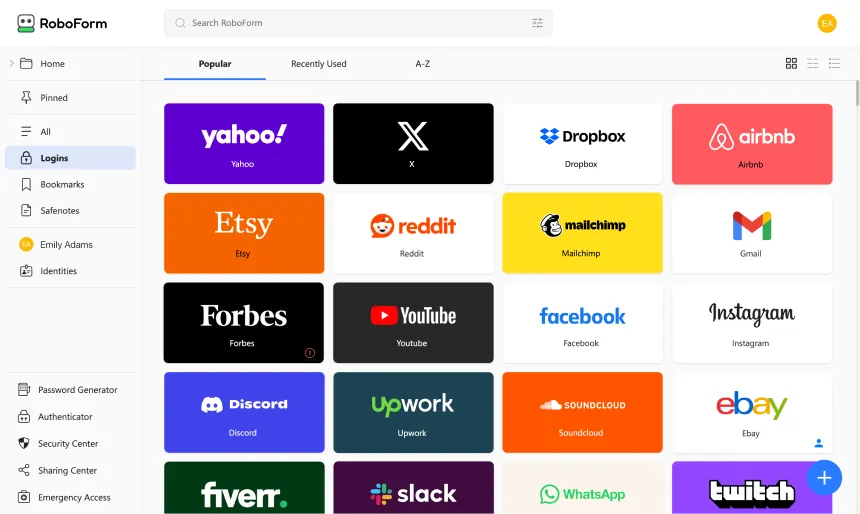
RoboForm saves logins, identities and Safenotes and fills them into websites and Windows applications. The Windows app adds offline access, keeps you signed in across all installed browsers and supports Windows Hello. Every account includes a password generator, password audit, passkey management, bookmarks, import and export, and AES-256 encryption.
The free plan allows unlimited passwords on one device and includes advanced two-factor login options, compromised password alerts, a built-in TOTP authenticator, passwordless unlock and cloud backup. Premium, at $2.49 per month billed annually ($29.88 per year), adds access on all devices, web access, sharing, emergency access, local-only mode and data breach monitoring.
What it does well
- Form filling. Fills names, addresses and payment details from saved identities into long web forms.
- Windows app logins. Saves and fills credentials in desktop applications, not only in browsers.
- Built-in TOTP authenticator. Generates two-factor codes for your accounts, also on the free plan.
- Password audit. Finds weak, reused and compromised passwords.
- Passkey management. Stores and uses passkeys alongside passwords.
Who it is for
Good fit
People who use one computer and fill a lot of online forms, or who need logins for desktop apps.
Look elsewhere
Users who want free sync between a PC and a phone; that needs Premium.
Pros and cons
Pros
- Unlimited passwords on the free plan
- Excellent web form filling
- Free TOTP authenticator and breach alerts
- Fills logins in Windows desktop apps
Cons
- Free plan works on a single device only
- Sharing and emergency access need Premium
- Closed source
How to install RoboForm
Run the universal Windows installer; it installs the desktop app and offers extensions for your browsers. Create a free RoboForm account with a strong master password. The free plan works on one device only, so pick the device you use most.
Questions about RoboForm
Is RoboForm free?
Yes. The free plan stores unlimited passwords on a single device. Premium costs $2.49 per month billed annually ($29.88 per year) and adds sync on all devices, web access, sharing and emergency access.
Does RoboForm work offline?
Yes. The Windows app gives offline access to your data.
Can RoboForm fill desktop programs?
Yes. On Windows it can save and fill logins for desktop applications.


